



 Swipe Deck
 New from HOWSR · Spec Map
More than 14,000 new homes. Real addresses. One map.
Search new construction the way you search the MLS. Every day, Spec Map gathers available new-construction homes and to-be-built floor plans from the websites of more than 45 builders. It covers Houston, San Antonio, Austin and Dallas–Fort Worth: more than 14,000 homes and 18,000 plans. Every home shows its street address and when the builder last confirmed it, plus the builder rep wherever the rep has joined. Free for real estate agents.
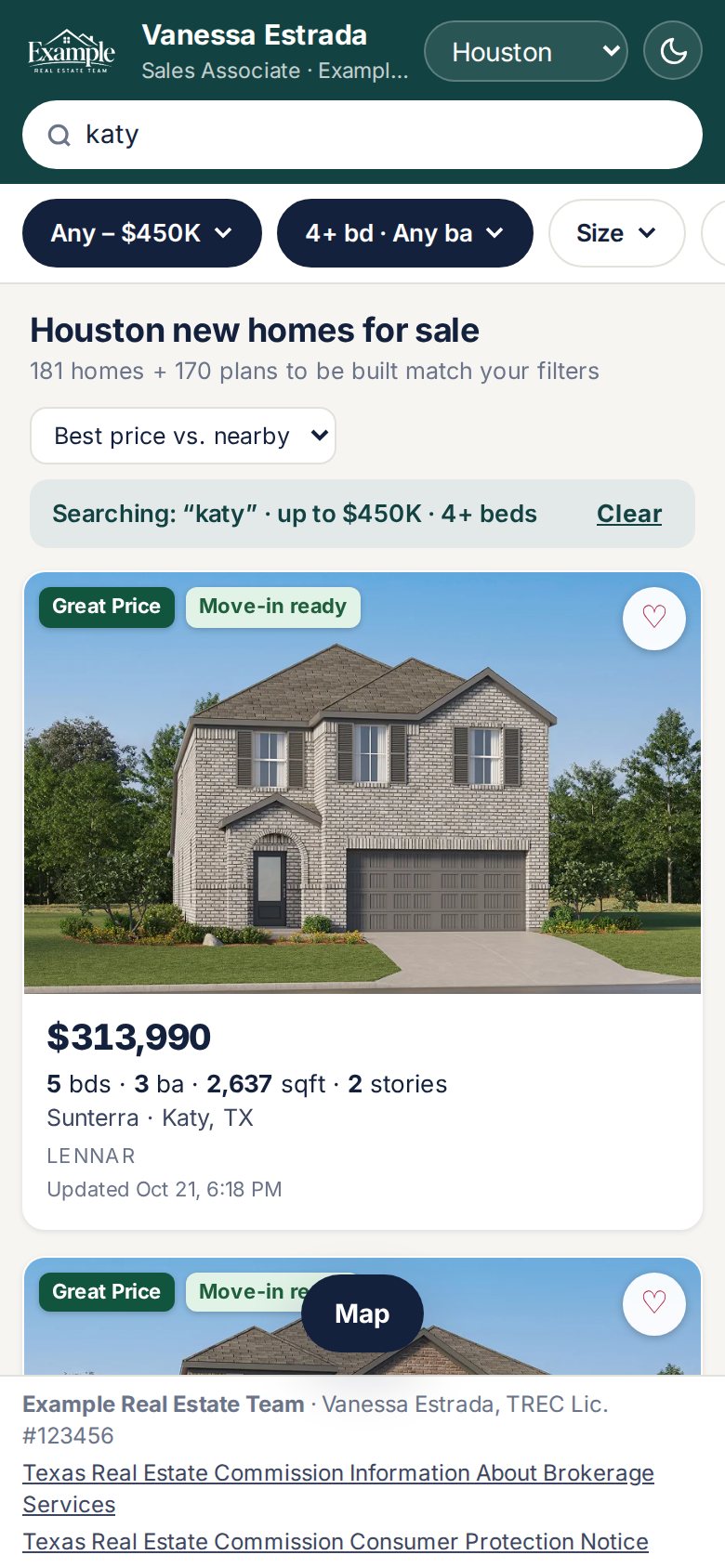
Search for the home the way your buyer described it.
Type what your buyer said, set the filters, or draw on the map. A live count shows how many homes fit as you go.
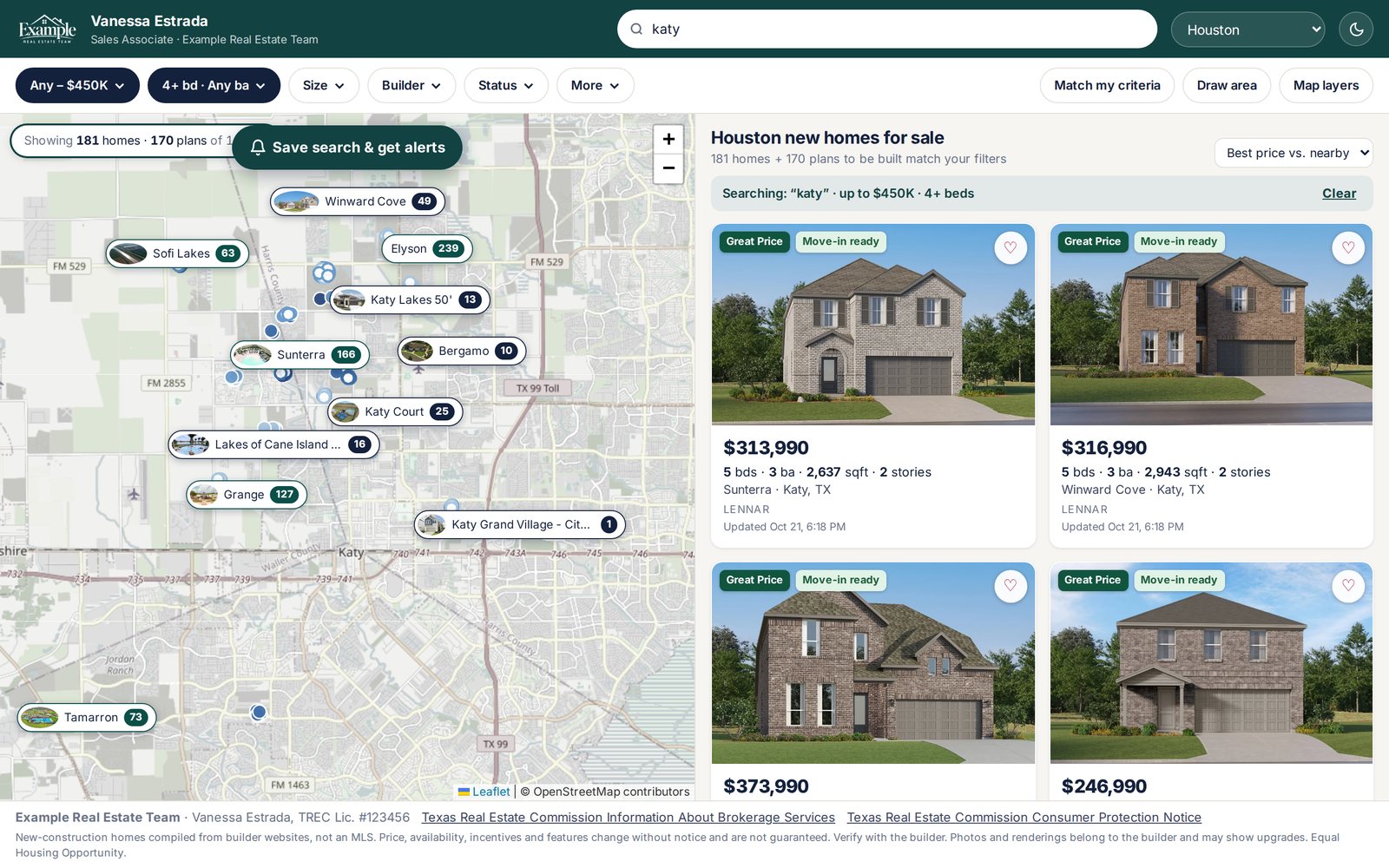
Plain-English search
Type “4 bed under 450k in Katy, move-in ready, single story.” Spec Map sets the filters for you.
Filters for how buyers shop
Price, beds, baths, garage bays, stories, square feet and builder. Primary bedroom on the 1st or 2nd floor.
Ready now or built to order
Filter by move-in ready, under construction or to be built. Homes and floor plans share one map and one list.
Builder incentives
Show only homes that have a builder incentive.
Draw your area
Draw around the part of town your buyer named. The map and list show only what's inside the lines.
Match my criteria
Homes that meet more of your buyer's choices move to the top of the list.
A street address and a timestamp on every home.
Spec Map data comes from builder and developer websites, not an MLS. So every home shows when the builder's website last confirmed it. Prices and availability change. Verify with the builder.
Street addresses
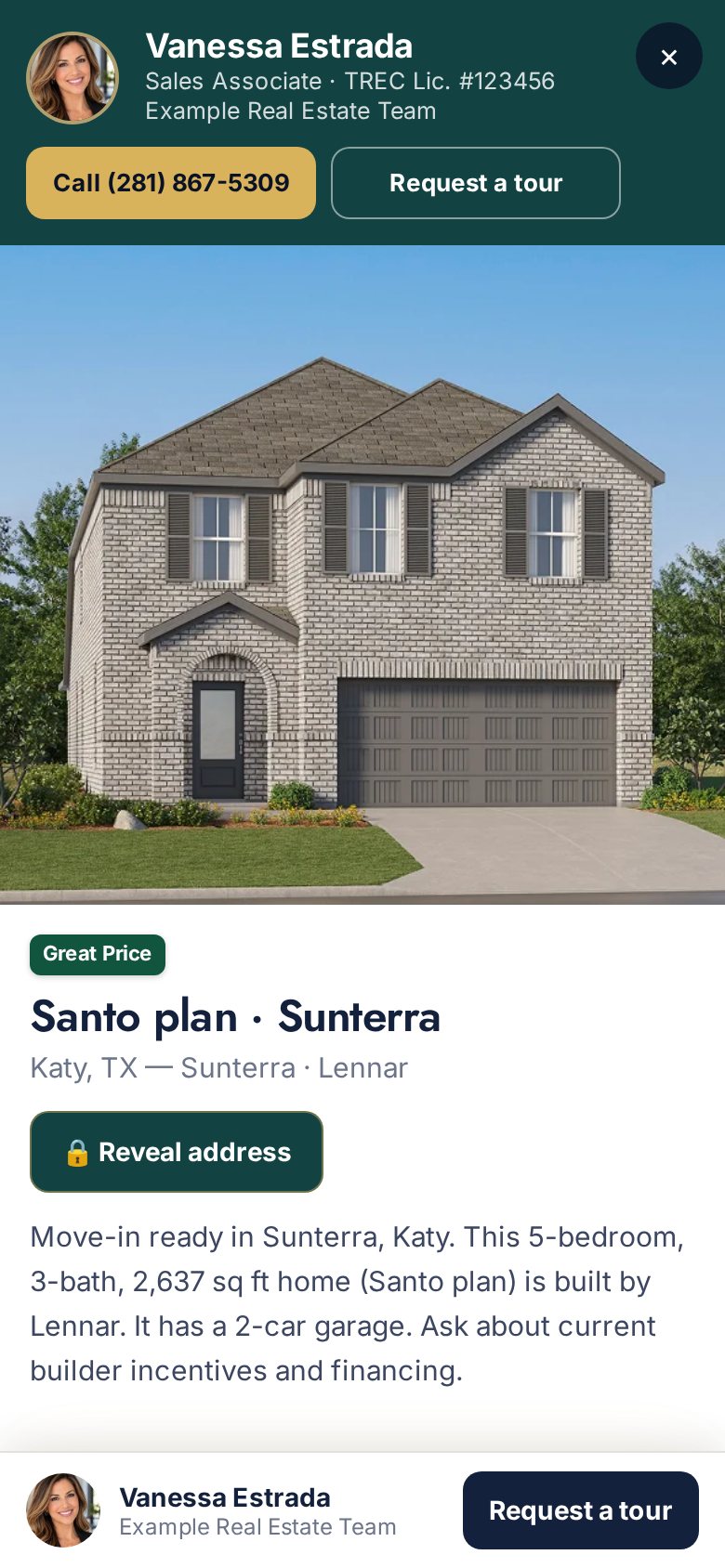
Every home on your agent map shows its street address. On a client map, the buyer taps Reveal address and the request comes to you.
“Updated” date and time
Every home shows the date and time the builder's website last confirmed it.
Off the site, off the map
When a home is no longer on the builder's website, it drops off Spec Map.
Great Price
Compares a home's price per square foot with similar new homes nearby. It compares price only.
FEMA floodplain filter
Show homes outside a FEMA floodplain, or inside one.
USDA and MCC filters
Show homes in USDA-eligible locations, or homes under an MCC price limit.
Know who's at the model before you drive out.
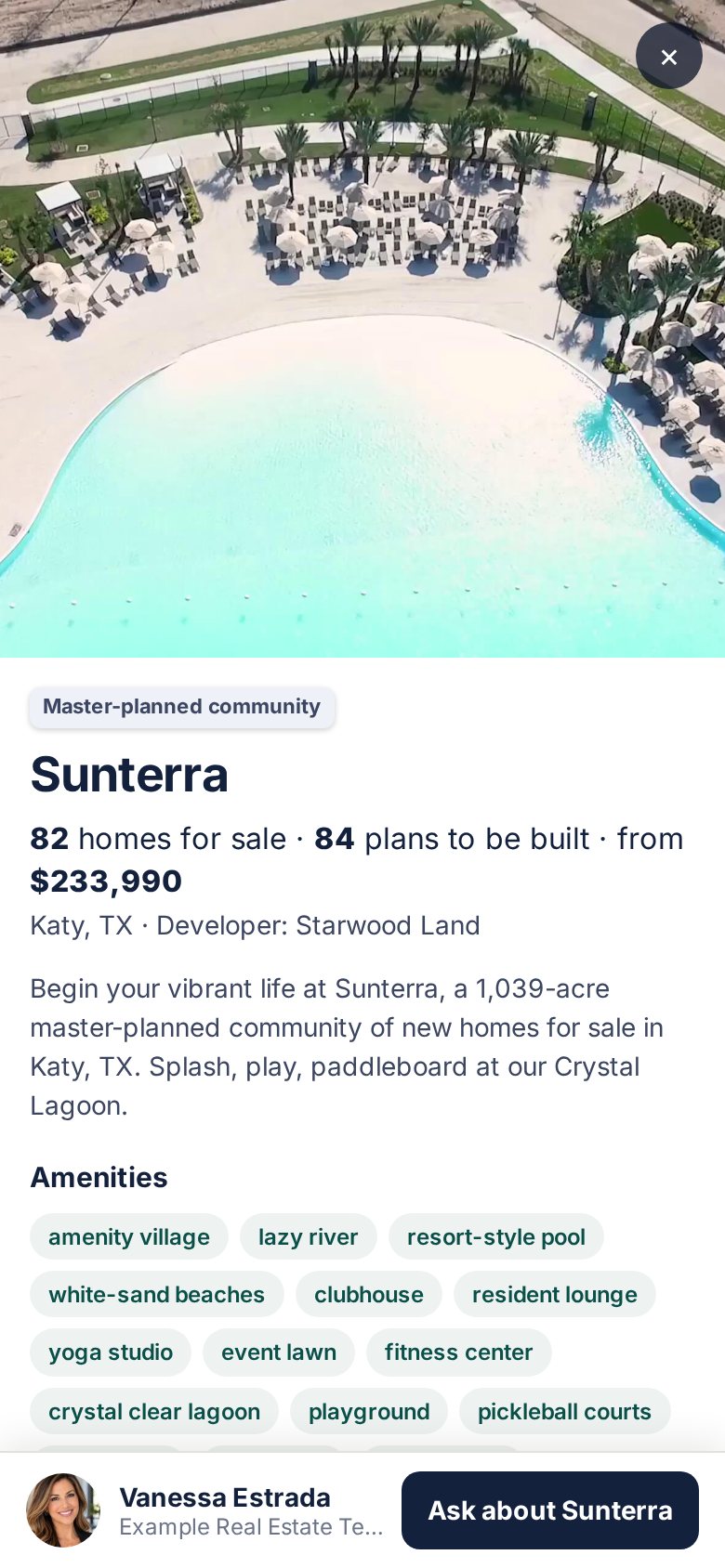
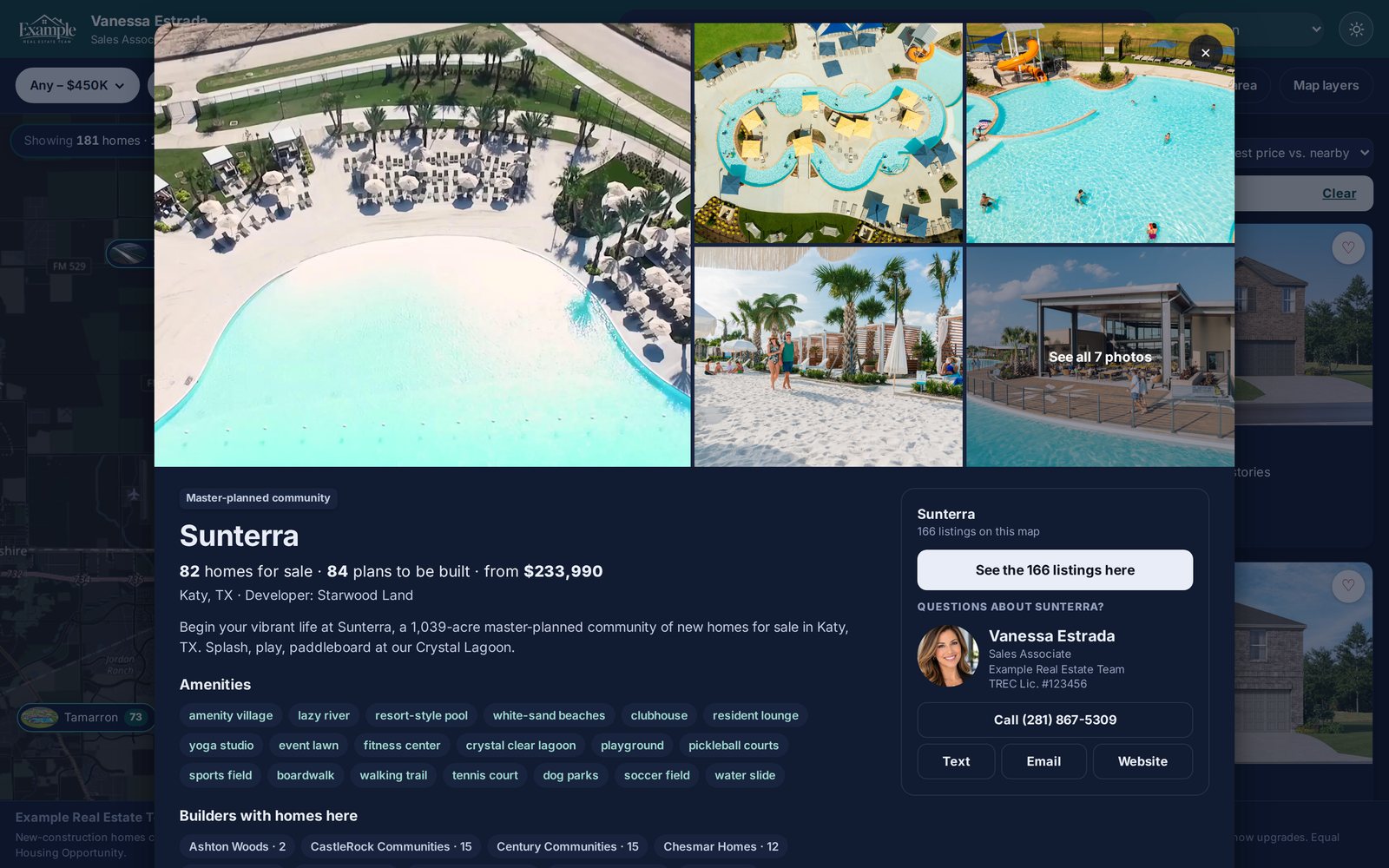
Community pins show each community's amenities and photos. In master-planned communities, the builders are grouped together.
Hours and phone
Each model home's hours and sales office phone number.
Who's in today
See which builder reps are at the model today, and each one's next day off.
Directions
Get directions to the model in one tap.
Community pins
Amenities and photos for each community, right on the map.
Builder reps who've joined, right on their homes.
When a builder's rep joins HOWSR, you see who handles their homes without calling the main line. Your client's identity is never shared with a builder rep.
Reps on their homes
Headshot, phone and email for the reps who've joined, on their builder's homes. Agents only.
Your go-to rep
Make one rep your go-to for each builder.
Notify my rep
Sends the rep the home and your contact information. Nothing about your client.
Buyer requests
Send builder reps your buyer's search: price range, beds, areas and must-have features. They reply with up to 5 matching homes you can open on the map. Your client's identity is never shared.
Commission and registration
Each builder's commission and registration procedures. Only agents see them.
BTSA tags
A bonus to the selling agent, refreshed weekly and seen only by agents, never on client maps. The bonus is set by the builder's rep. Confirm it in writing with the builder and disclose any bonus to your client.
Builder news and events
Builder news, plus a calendar of agent events, builder events and open houses for agents. Add any of them to your calendar.
Your brand on the map your client sees.
Send clients a link to your own branded version of Spec Map. You're the only agent on it, and every request comes back to you.
Your branded client map
Your brand on it. Tour and address request forms go straight to your buyer CRM.
Saved searches
Save a search for a client. Each saved search gets its own link.
Pick homes to send
Choose the homes you want a client to see and send them.
Favorites and activity
See which homes your client favorited and what they've looked at.
Agent-only stays agent-only
Builder reps, sales office phones, builder websites, commission, registration procedures and BTSA tags never appear on client maps. You're the one they contact.
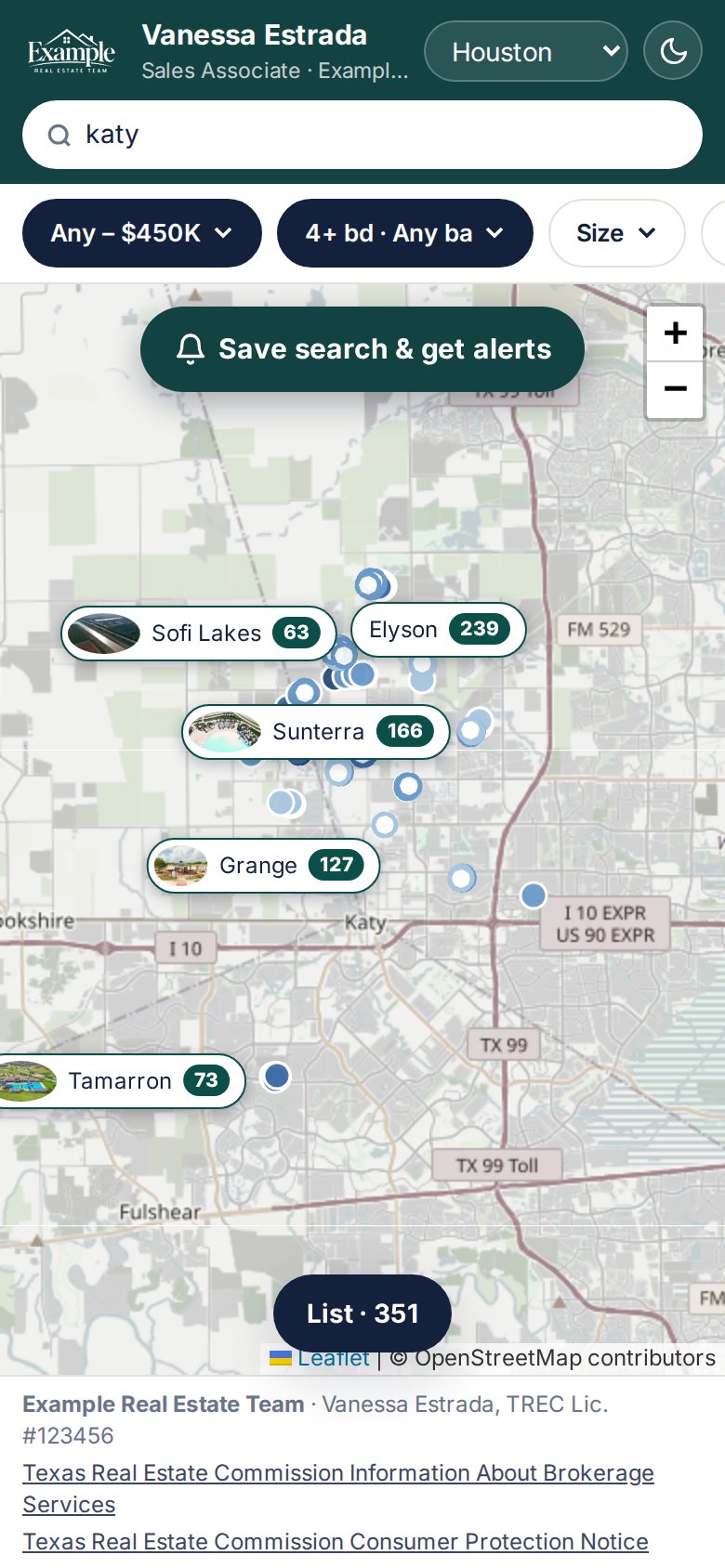
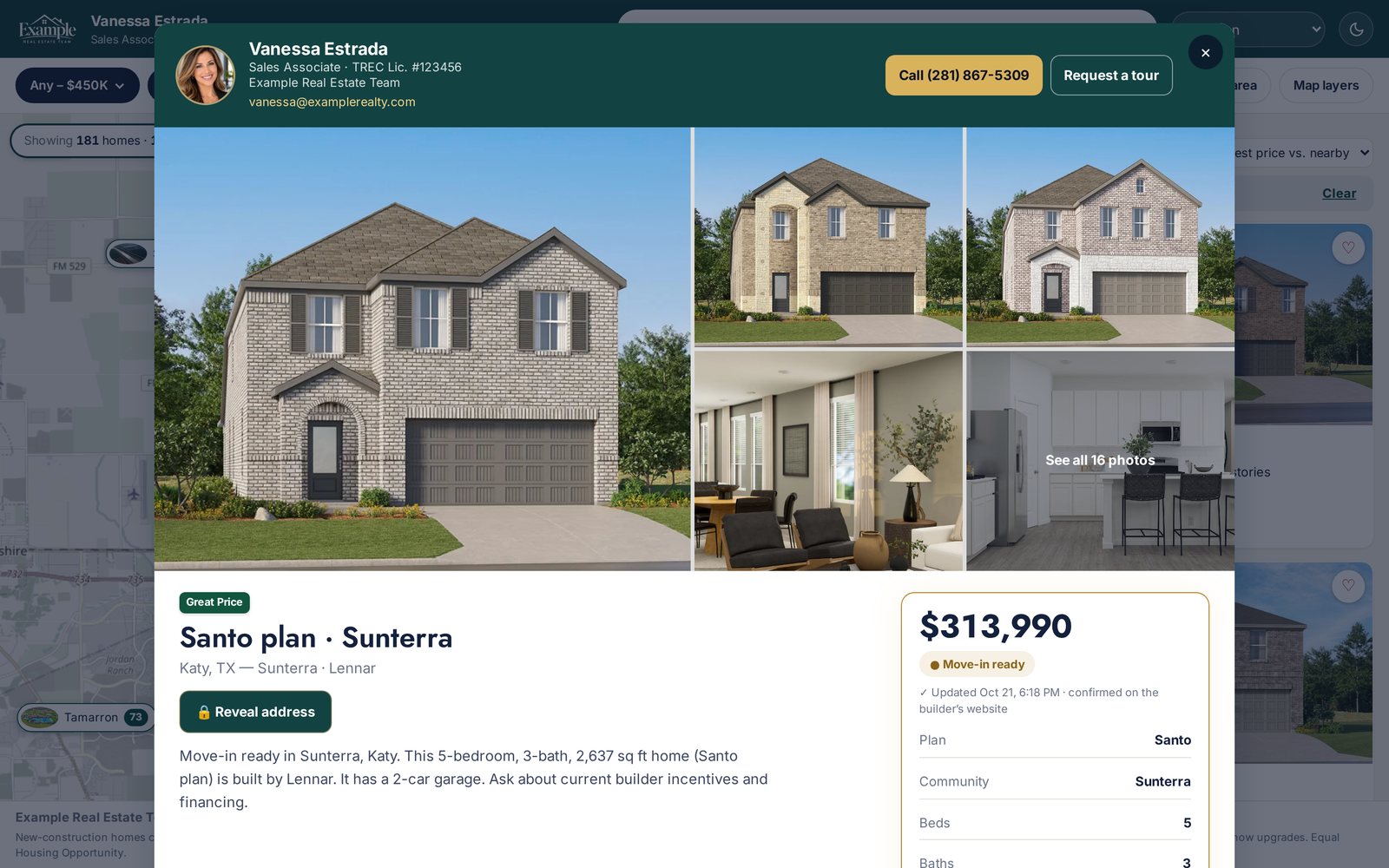
Every home and community, full size.
Open a home for the photos, floor plan and the time the builder last confirmed it. Open a community for its amenities and every builder building there. Light or dark mode, to match your client's phone.
Something real to post, right from the map.
The $149 Pro plan adds two buttons to Spec Map that turn what's on the map into posts, and turns your client map into your own app.

LD button
Marks homes that already have a Listed Daily reel ready. Assign one to a day on your planner.

MT button
Shows area projects on the map: new roads, hospitals, employers, retail, parks and new communities. Each one comes with a Market Take story you can turn into a reel, a carousel or an article for your website.
Your client map, on their home screen.
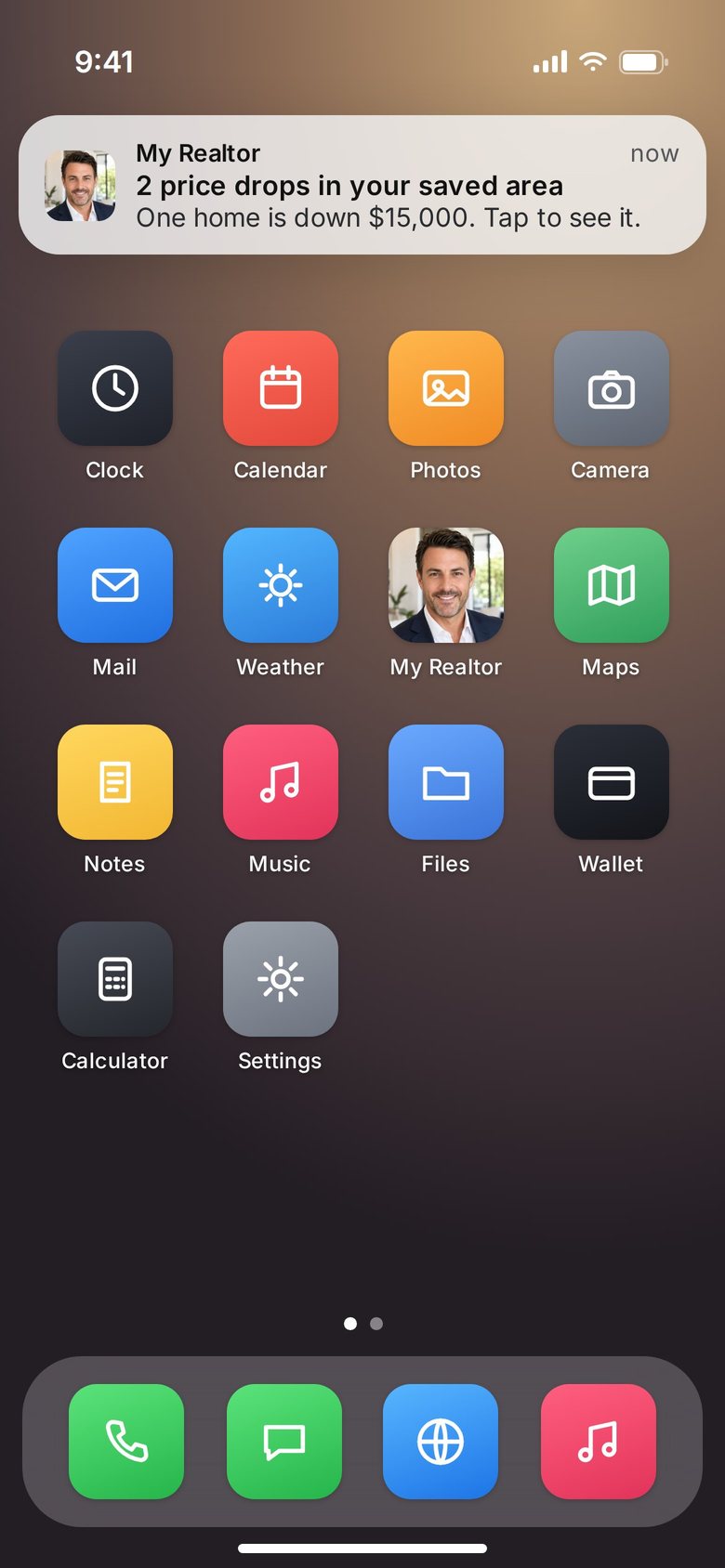
On Pro, clients install Spec Map as your own app, from your own address. Your logo or your headshot is the icon, and you pick the name. They draw the areas they want, and new homes and price drops there show up every morning as a notification from you.
- Ten-second install. The app shows the exact taps for their iPhone, iPad or Android. No app store.
- Face ID sign-in. An email code once, then Face ID.
- Only you. Builder reps, other agents and bonuses never appear.
Shown: a sample app for a fictional agent.
Spec Map is free. Pro adds the posts.
- Spec Map: new homes and to-be-built floor plans in Houston, San Antonio, Austin and DFW
- Street addresses and “Updated” times on every home
- All filters, plain-English search, draw-an-area and Match my criteria
- Model home hours, sales office phone, and which reps are in today
- Builder reps on their homes (where they've joined), go-to reps, Notify my rep and buyer requests
- Commission and registration procedures and BTSA tags (agents only)
- Builder news and events calendar
- Branded client map, saved searches, picked homes, and client favorites and activity
- Digital business card, free forever
- Your own webpage at howsr.com/yourname, with a new-home search for your buyers and a contact form
- One free try each of Listed Daily, Market Take, Swipe Deck and the teleprompter
Or $1,500/year.
- Everything in Free
- LD button: assign homes with a ready Listed Daily reel to your planner
- MT button: area projects on the map, each with a Market Take story
- Listed Daily: a branded reel of a real new-construction home every day
- Market Take, Swipe Deck and Pages & Leads
- Your own client app, with your logo or headshot as the icon
Questions about Spec Map.
Where does the data come from?
From the websites of more than 45 builders and developers, gathered every day. It does not come from an MLS. Spec Map covers Houston, San Antonio, Austin and Dallas–Fort Worth. Prices and availability change, so verify with the builder.
Is Spec Map an MLS?
No. It searches like one, but its homes come from builder and developer websites, not from listings that brokers submit. Builder commission and bonus terms come from the builder, so confirm them in writing with the builder.
How fresh is it?
Spec Map updates every day. Every home shows the date and time the builder's website last confirmed it. When a home is no longer on the builder's website, it drops off the map.
Do my clients see addresses and bonuses?
Your agent map shows every home's street address. On your client map, you choose whether addresses show; either way, tour and address requests go to your buyer CRM. Commission, registration procedures and BTSA tags are for agents only and never appear on client maps.
Who do I contact about a home?
On your agent map, builder reps who’ve joined HOWSR show on their builder’s homes and model homes. Where no rep has joined, you see the sales contact the builder lists on its own website. Your clients never see either one.
Do builder reps learn anything about my client?
No. Rep notices and buyer requests never reveal anything about your client: no name, contact, favorites, counts or timing. Notify my rep sends the home and your contact information. Nothing else.
Can I send a client one search?
Yes. Set the filters or draw an area, then save it as a client link. Each saved search has its own link, and you see when a client opens it, favorites a home or changes a filter. You get a push and an email when a client comes back after a day or more away.
Can my clients get alerts on new homes?
Yes. On your client map, a client can save an area or a search and get a morning alert when new homes match, by push with email as the backup. They sign up with an email code and land in your buyer CRM. Pro agents’ clients get the app with your logo and colors.
What does it cost?
Spec Map is free. No card, no clock. The LD and MT buttons come with Pro, which is $149/month or $1,500/year.
Is HOWSR a brokerage?
No. HOWSR (Ruhge LLC d/b/a HOWSR) is a software company. Builder bonuses are set by the builder's rep. Confirm any bonus in writing with the builder and disclose it to your client.
Can my clients install it as an app?
On Pro, yes. Your client map becomes your own app at your own address. Clients add it to their home screen in a few taps, with your logo or your headshot as the icon and the name you pick, then get new homes and price drops in their saved areas every morning. On the free plan, clients use your branded map in their browser at howsr.com/yourname/homes.
New-construction homes compiled from builder and developer websites, not an MLS. Price, availability, incentives and features change without notice and are not guaranteed. Verify with the builder. HOWSR is a software company (Ruhge LLC d/b/a HOWSR), not a brokerage.
Open the map. It's free.
Spec Map, your digital business card, and one try of each HOWSR tool. No card. No clock.