



Something real to post. Every day.
A real home from builder inventory. A local market story you can make your own. A designed carousel with your name on it. HOWSR makes it. You post it, approve it, or let it post itself.

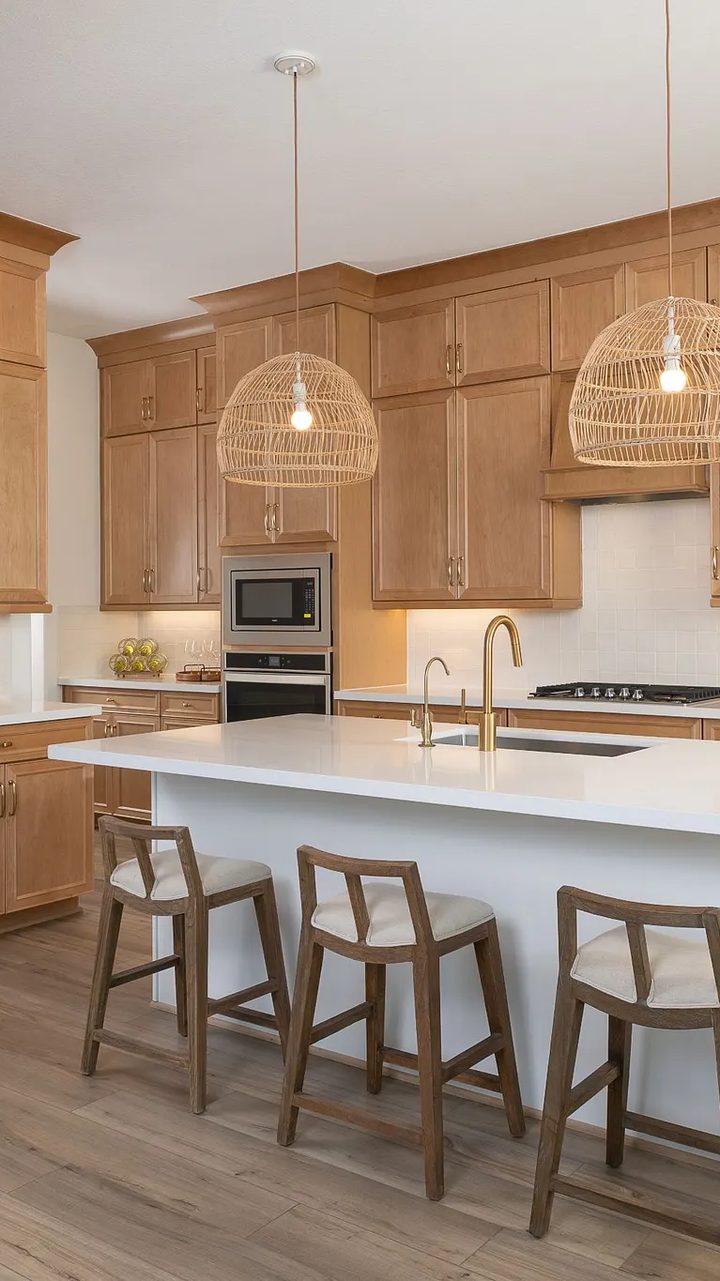
Rates have been moving, so here’s what that means if you’re buying in League City. Take this home in Westland Ranch: four bedrooms, three baths, and it’s move-in ready. Before you wait on rates, let’s run your numbers first. Send me a message and I’ll walk you through it.
FrontKitchen bobschmitt
 Today’s post: ready at 6:15 AM
 One take. Looks edited.
 Already branded
Real inventory from builders like these
Trusted by agents at


 Douglas Elliman

 CorcoranDouglas EllimanCorcoran
Something to post, and something to show.
Listed Daily, Market Take, Swipe Deck and App, Pages & Leads give you something real to post every day. Spec Map gives you new homes to show, with the street address on every one and the builder rep wherever they’ve joined. Start free.
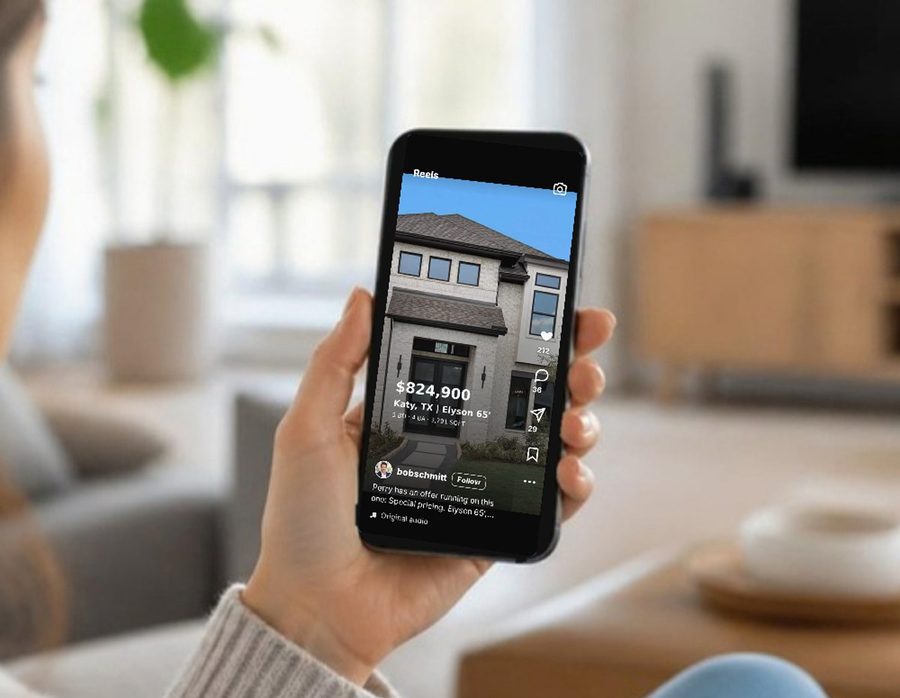
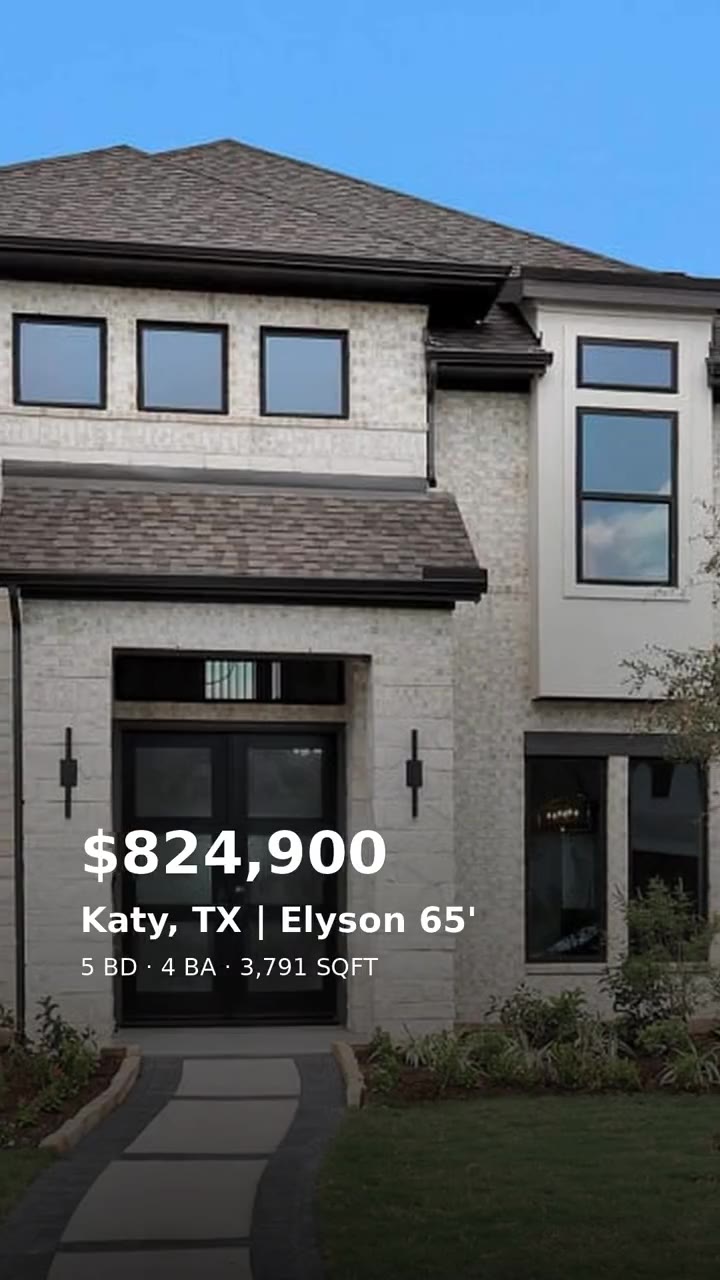
- A finished, branded reel of a real new-construction home, made for you every day.
- Checked against builder inventory daily. Your logo, colors and link on the end card.
- Caption and hashtags written. It posts itself, waits for your OK, or downloads.
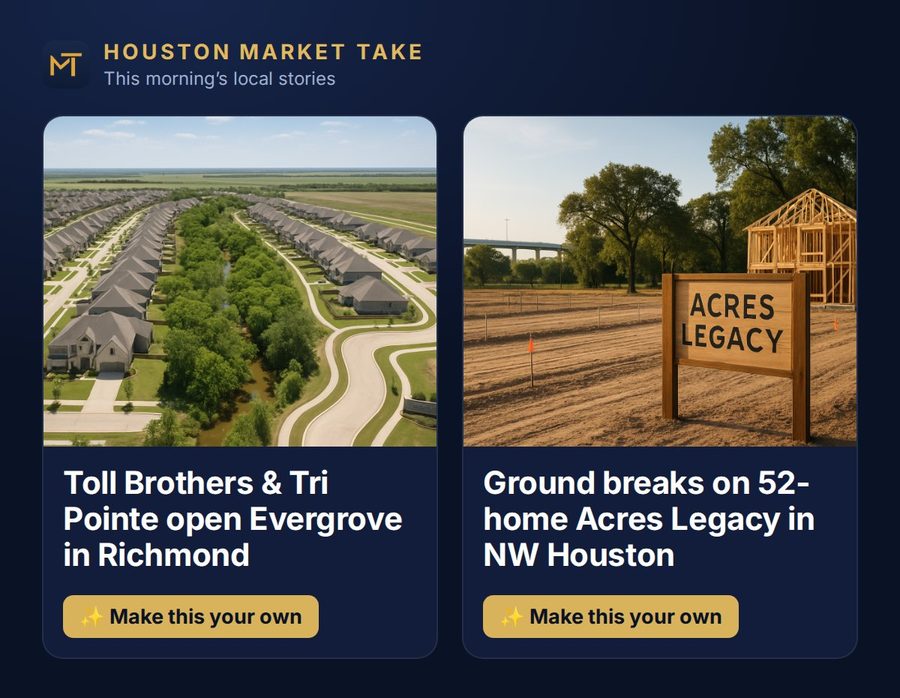
- Fresh market stories for your metro every morning.
- One tap turns a story into a reel script, a carousel, or an article on your page.
- A teleprompter with One Take: hold a photo, keep talking, and it looks edited.
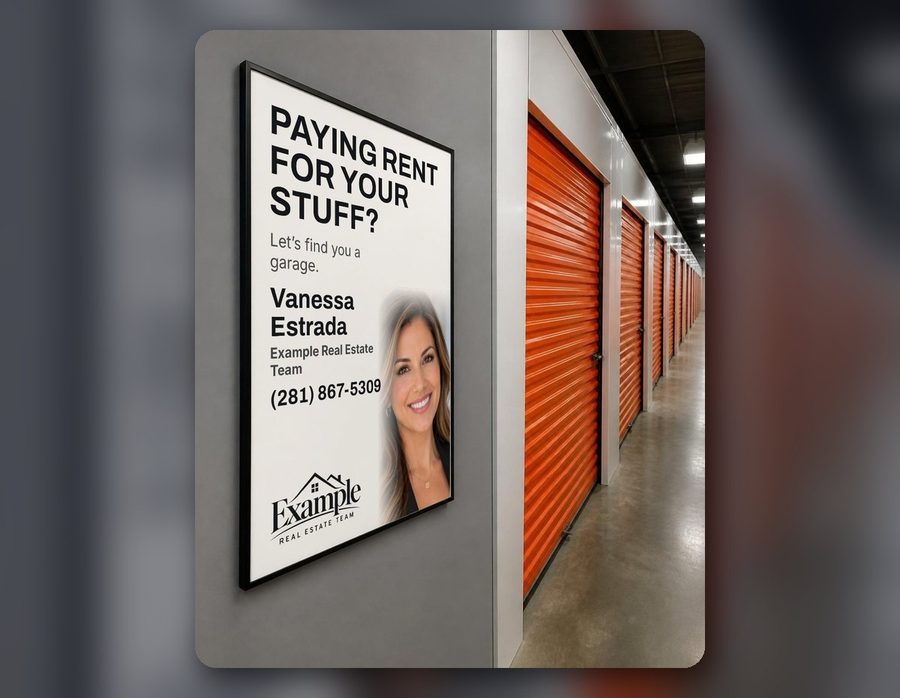
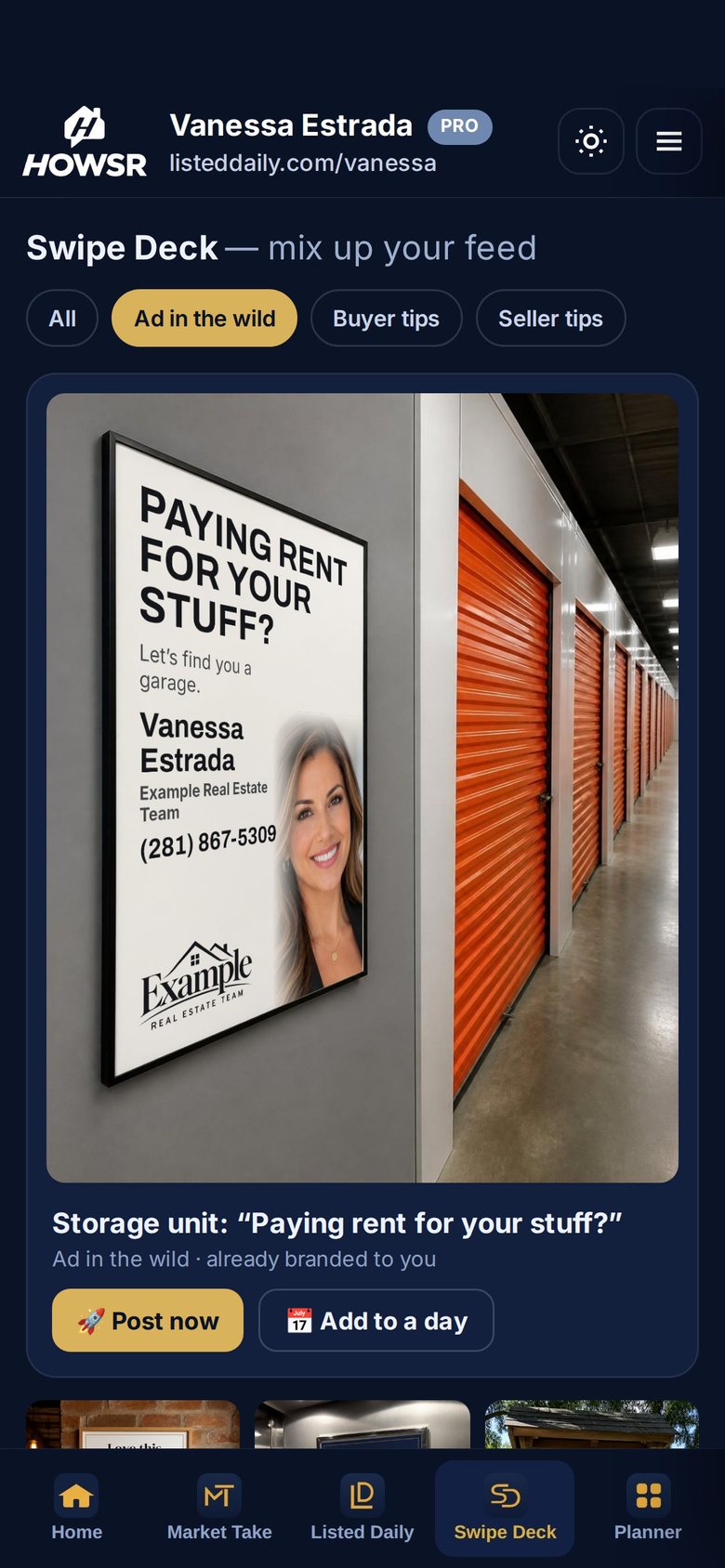
- Buyer tips, seller tips, myth-busters and games, designed and ready.
- Your photo, name, contact and fonts on every slide.
- Edit a slide, swap a photo, post it now or put it on a day.

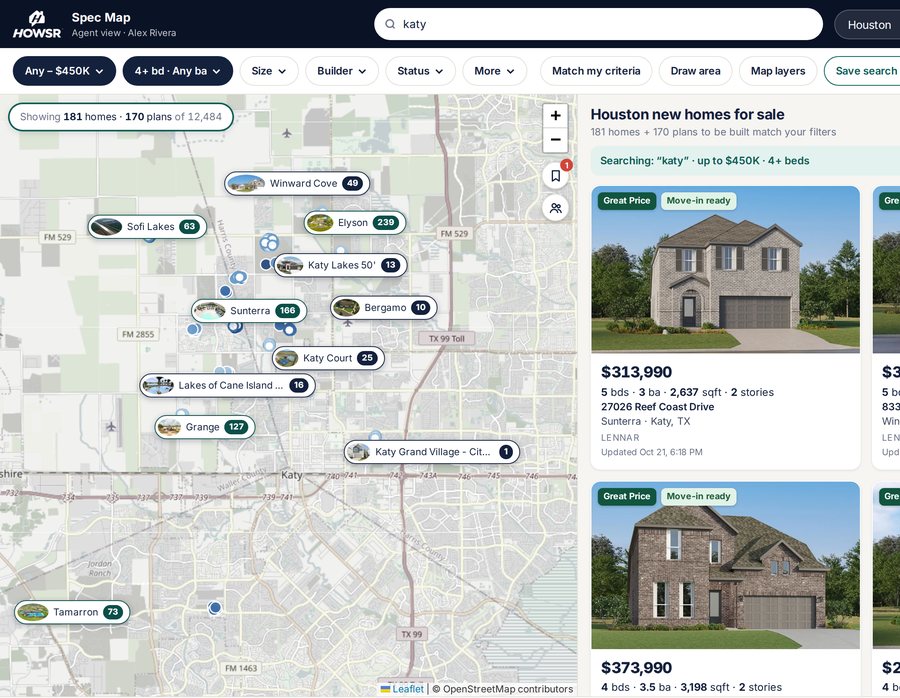
- Thousands of new homes and floor plans across Houston, San Antonio, Austin and DFW.
- Street address and last-confirmed time on every home, plus the builder rep where they’ve joined.
- Send clients your own branded map. Free, no card.
Search new construction like you search the MLS.
Spec Map puts thousands of available new homes and floor plans from more than 45 builders on one map, across Houston, San Antonio, Austin and Dallas–Fort Worth. Every home shows the street address and when the builder last confirmed it, plus the builder rep wherever the rep has joined. Your digital business card and your own webpage come with it. All free.
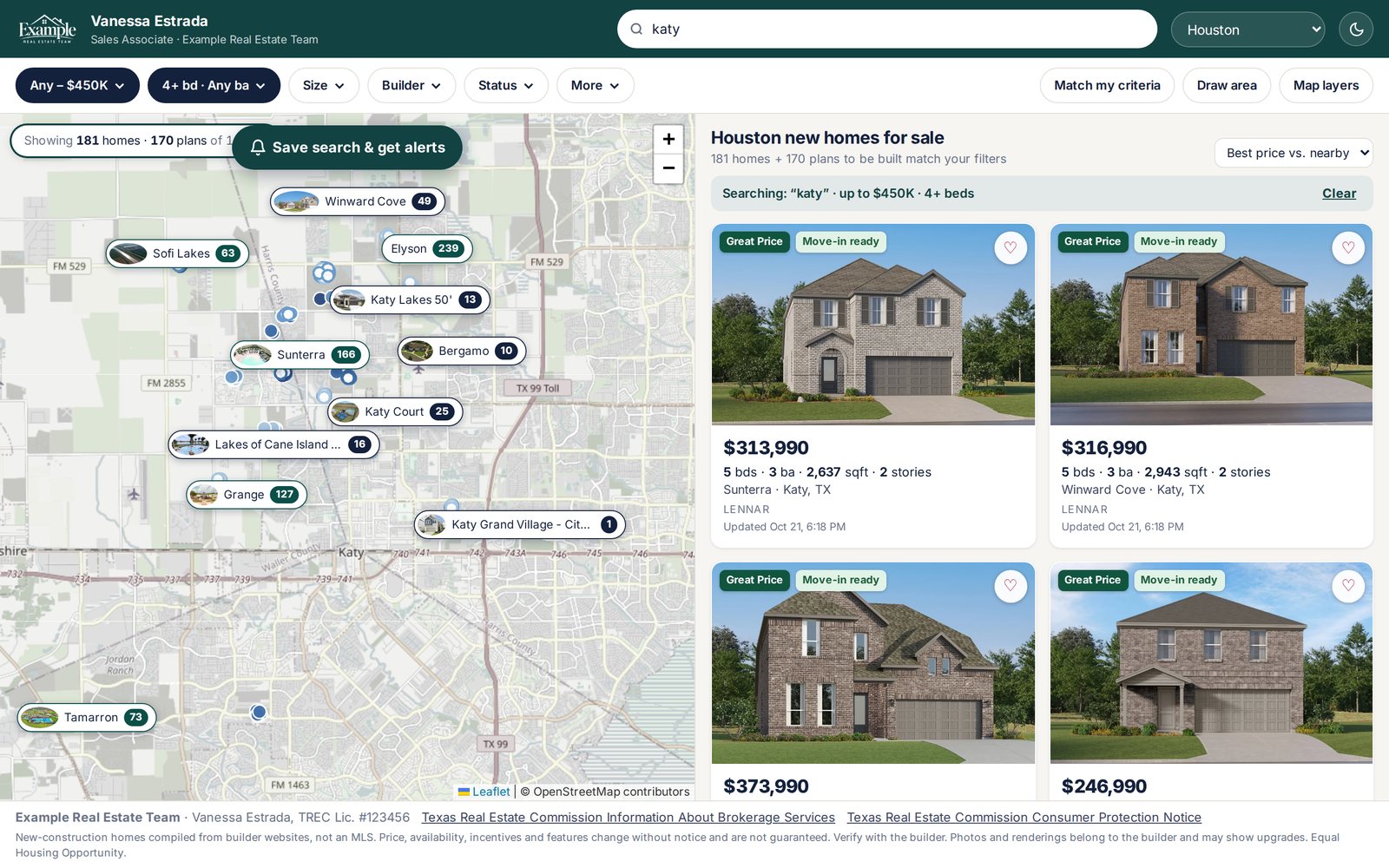
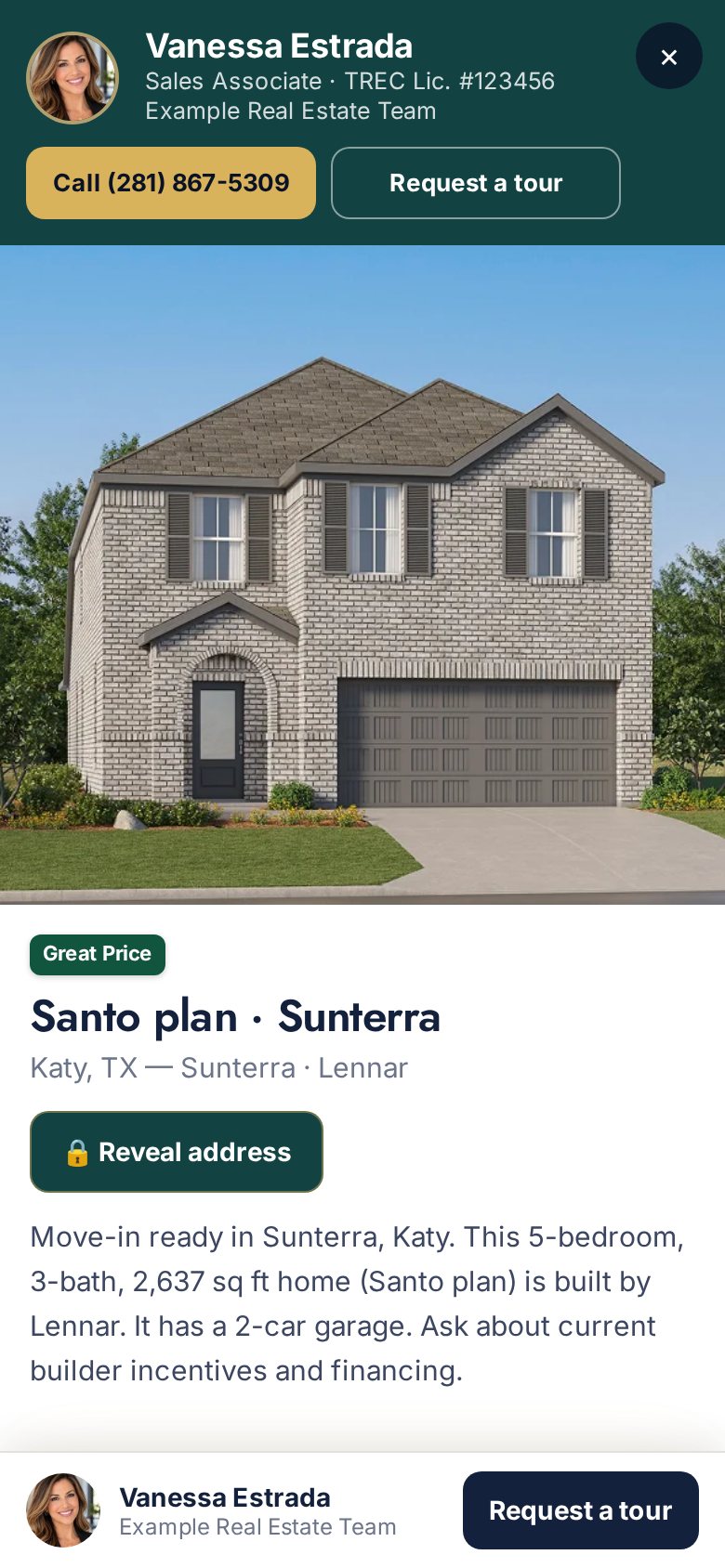
Plain-English search
Type “4 bed under 450k in Katy” and the filters set themselves.
Communities, mapped
Amenities, photos and every builder building there, one tap from the map.
Your brand on it
Send clients your own Spec Map. You're the only agent they see on it.
Your own webpage
Buyers search available new homes on your page and send you their info.
Spec Map is built from builder and developer websites. It is not an MLS. Prices and availability change, so verify with the builder.
Your name on their home screen.
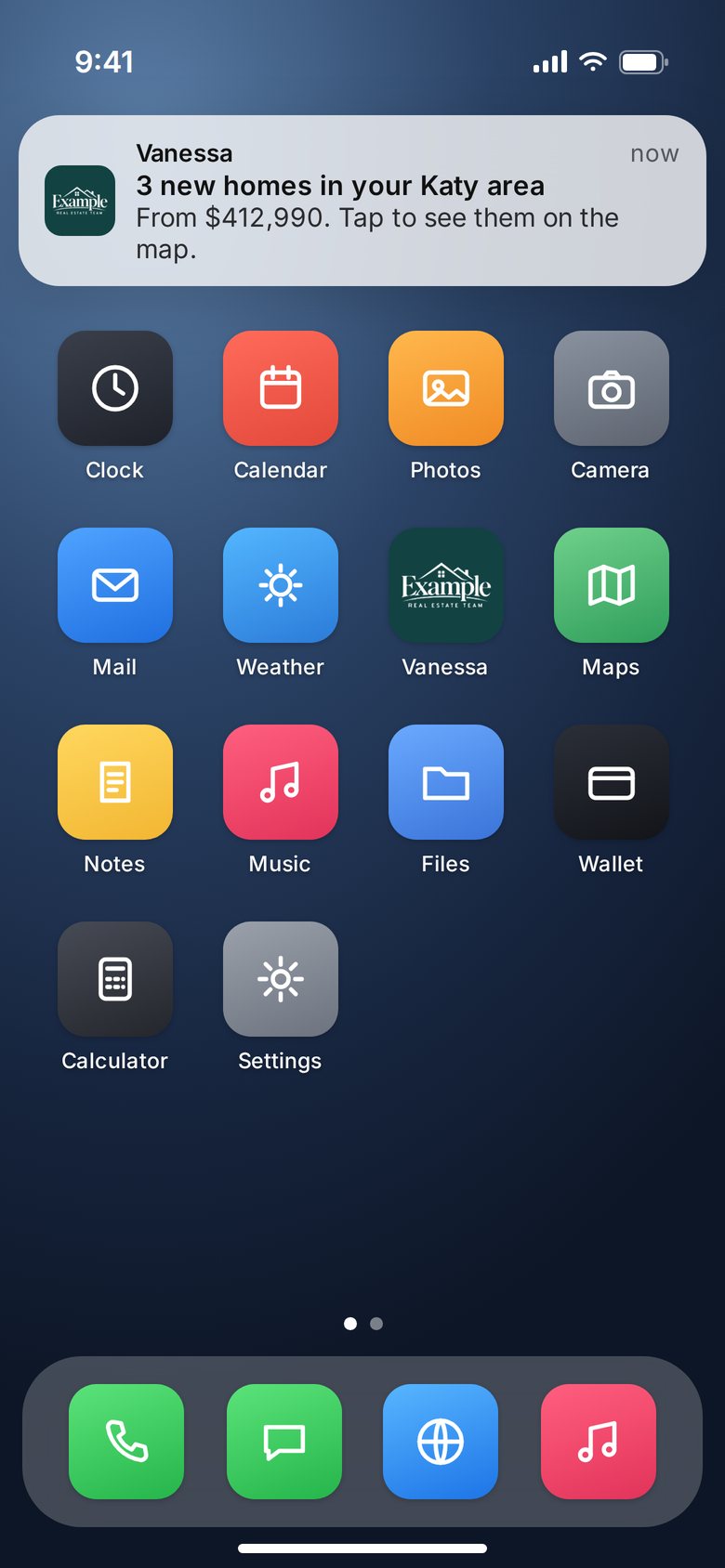
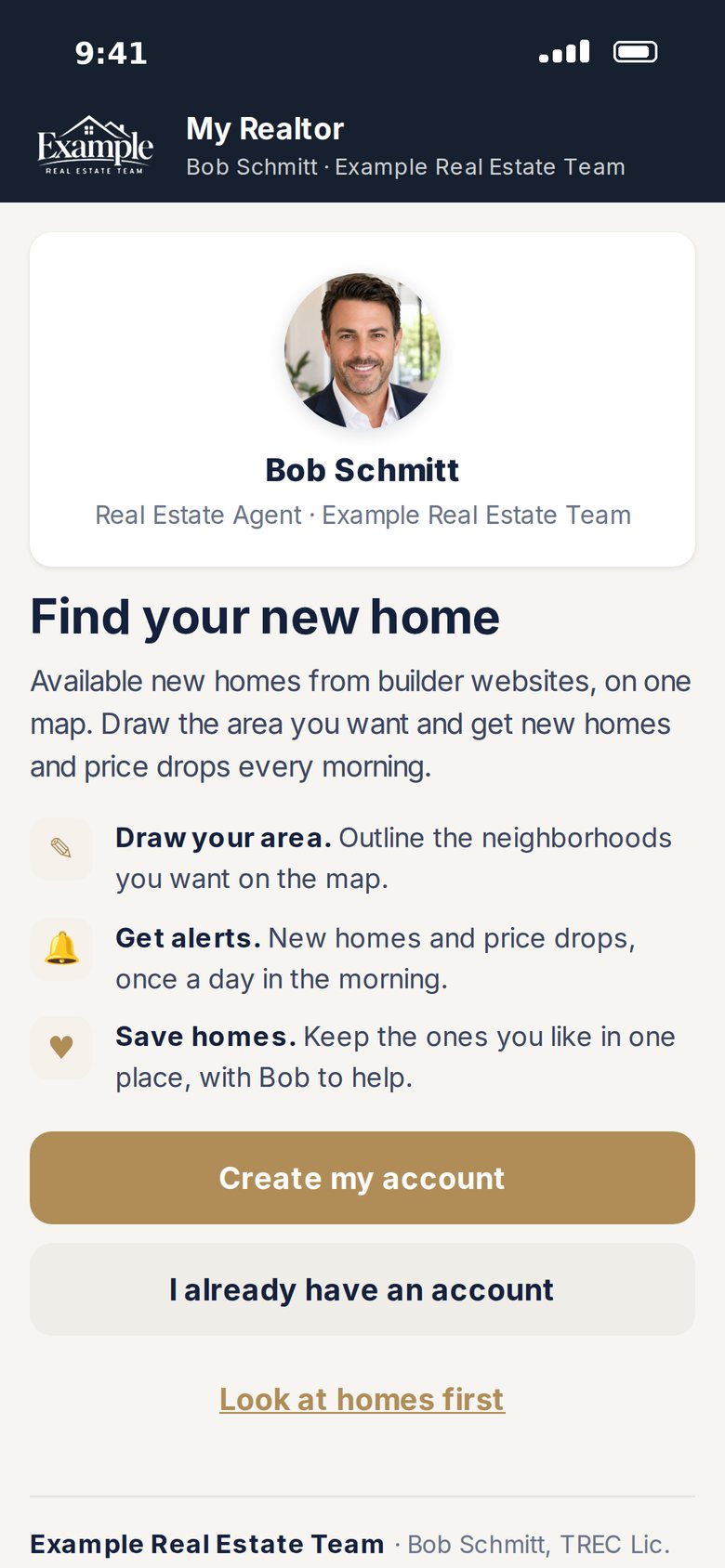
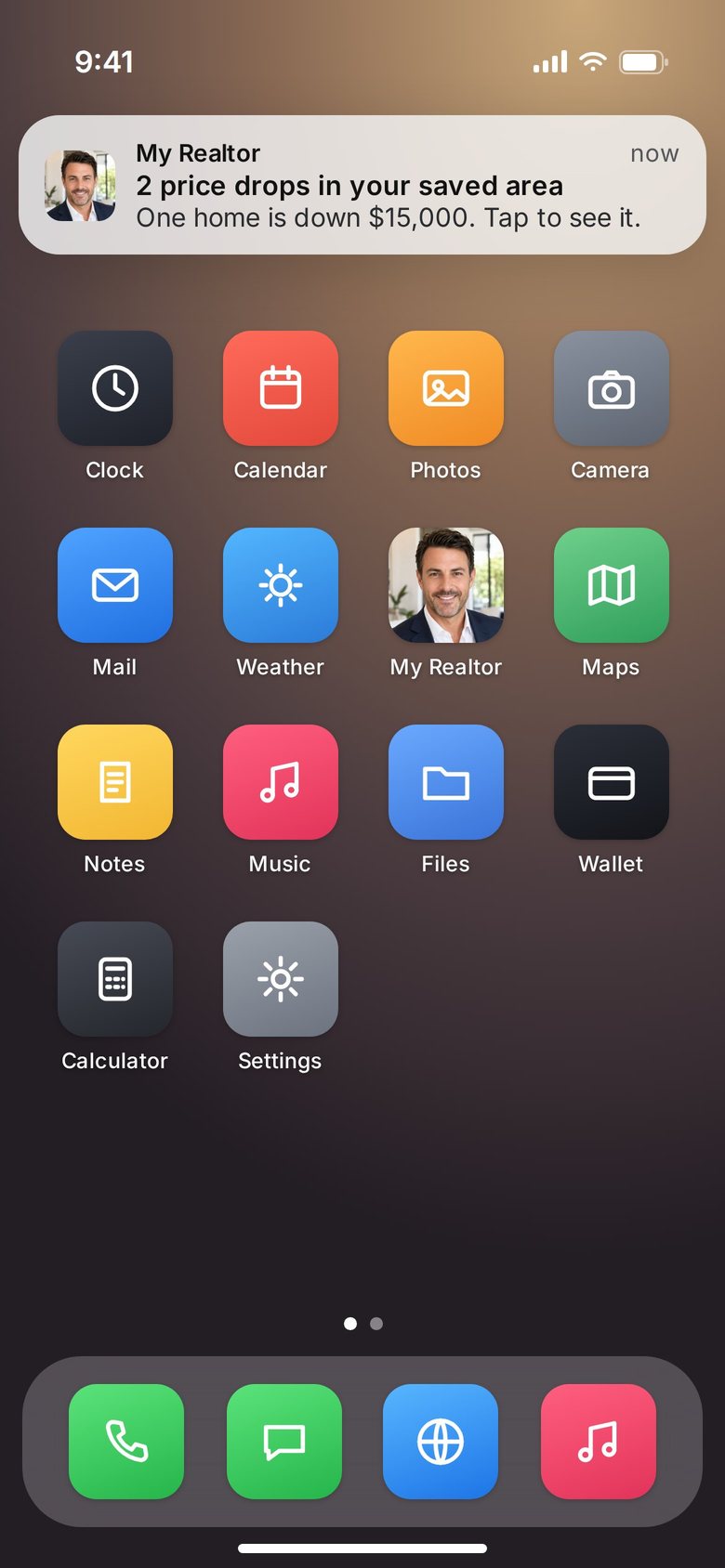
On Pro, your clients install your own new-home app from your own address, like yourname.howsr.com. You pick the icon, your logo or your headshot, and you name it. Every morning, new homes and price drops in the areas they drew show up as a notification from you.
Installs in ten seconds
No app store. Your app shows each client the exact taps for their phone: iPhone, iPad or Android.
Your icon, your name
Use your logo or your headshot. Name it after you, your team, or anything that fits on a home screen.
Alerts that come from you
Clients draw the areas they want. New homes and price drops arrive every morning, with your name on the notification.
You’re the only agent
They sign in with an email code, then Face ID. No builder reps, no other agents, no bonuses. Just you.
The client app comes with Pro. Every agent can share Spec Map with clients at howsr.com/yourname/homes, free. Shown: sample apps for fictional agents.
A business card that saves itself to their phone.
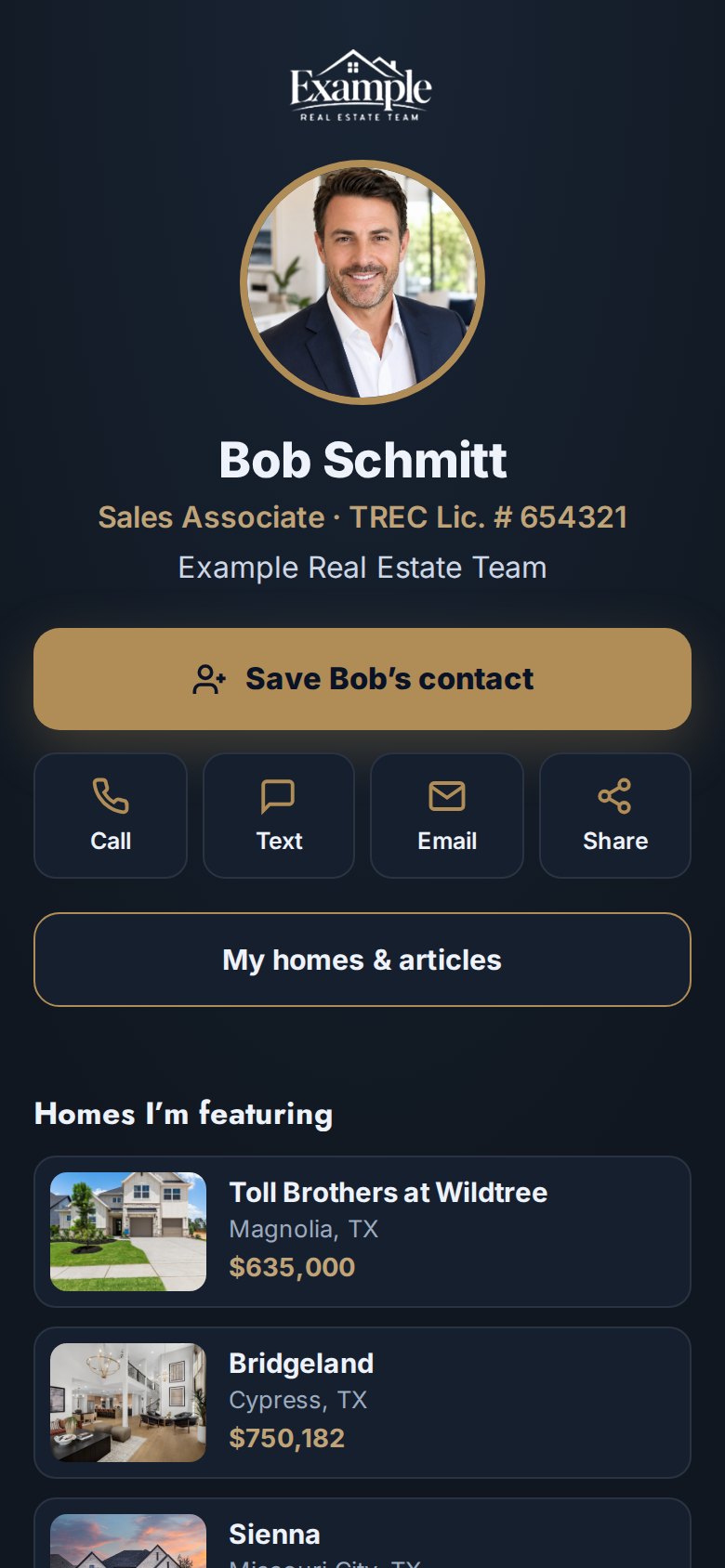
One tap saves your contact, photo included. Call, text, email and share sit right under your name, with the homes you're featuring below. Hand it out with a QR code, a tap of an NFC card, or the link in your bio.
Save contact
Your name, number, email and photo go straight into their contacts, iPhone included.
QR code and NFC
A QR code for your sign, flyer or screen, and a link you can write to an NFC card.
Link in bio
Add your own links under Call and Text, and it works as the link in your Instagram or TikTok bio.
Your logo in the QR
On Pro, your brokerage or team logo sits in the middle of your QR code.
Shown: a sample card for a fictional agent and brokerage.
 Scan to save
Get your own card, webpage and a direct line to agents.
New-home sales reps get a free digital business card, a webpage, the Spec Map and broadcasts to agents. Sign up with your builder email.
Checked three times before it reaches your feed.
Your license is on every post, so nothing goes out on autopilot alone. A machine checks it, a person reviews it, and you decide how it goes out.
- 1
Checked by AI
A vision model looks at every listing photo before it can be used and drops floor plans, CGI renderings, sales-office photos and junk shots. The caption is checked against the home it describes.
- 2
Reviewed by a person
A person on our team reviews every reel in the queue before it’s released in the morning. Anything off gets a different home, new photos or new music first.
- 3
Approved by you, or auto-posted
Pick Hold for my approval and nothing goes out until you tap. Or leave it on Auto-post and it goes out at your time. Switch anytime.
Scripts are written inside fair-housing guardrails and never invent a client, a story or a statistic.
As hands-on or hands-off as you want.
Built for the agent who posts every day and wants the gaps filled, and for the agent who has never posted and never wants to be on camera.
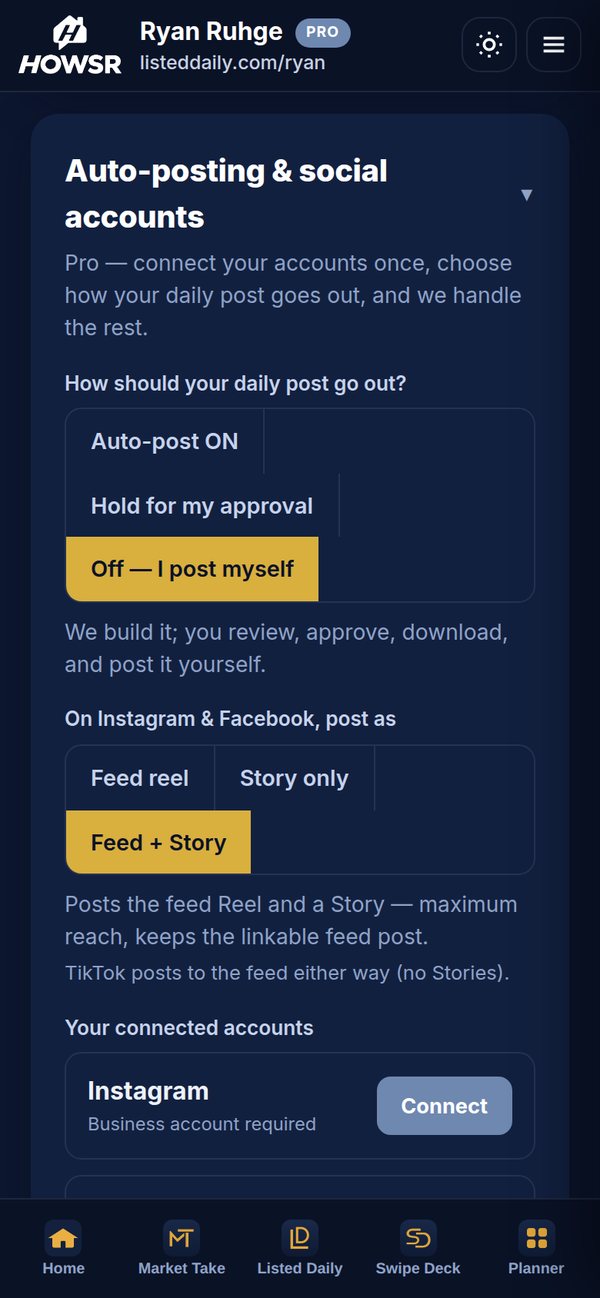
Auto-post
Posts itself every day at the time you pick, anywhere from 6:00 AM to 9:30 PM.
Hold for my approval
You tap Approve. It goes out now or at your time.
Off
Download it and post it yourself. Can’t wait? Every post has a 🚀 Post now button.
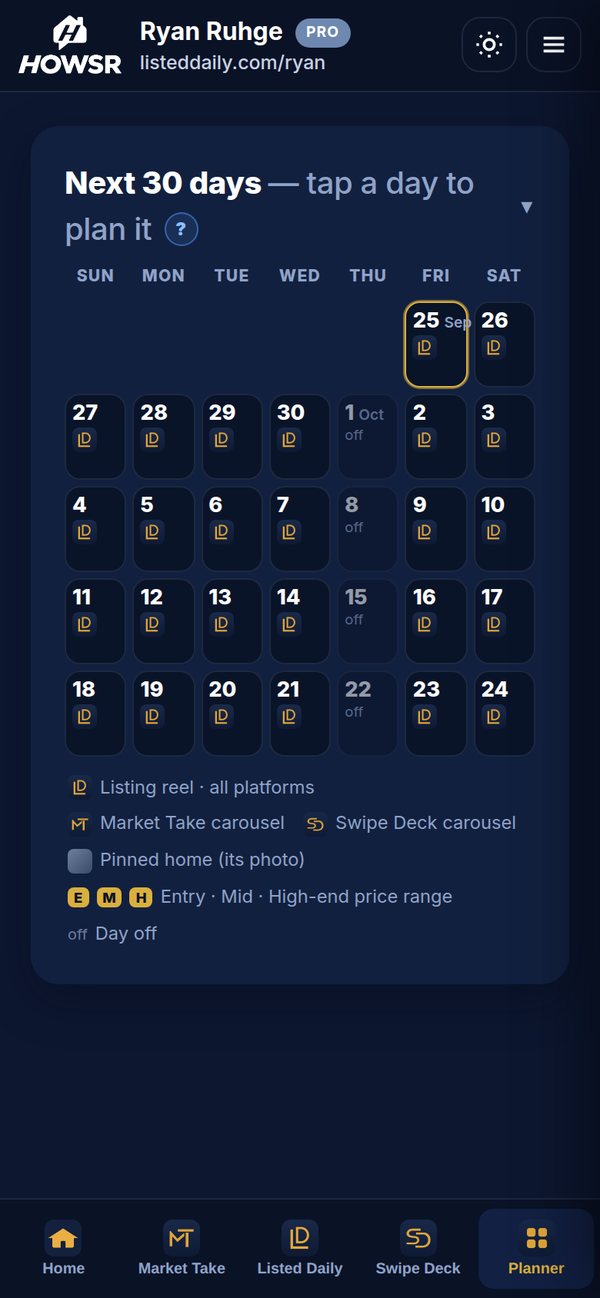
Thirty days, planned in a few taps.
- Tap a day, choose what goes out: a listing reel in your price range, a specific home you pinned, a Market Take carousel or a Swipe Deck carousel.
- Make it a habit. Set it to repeat every Monday, or any weekday.
- Leave a day on Auto and it gets our best match. One post a day, never a gap.
- Upload your own. Photo or video, caption, Feed or Story, now or up to 30 days out. It goes to every account you’ve connected.
- One dashboard. Views, likes, followers and per-platform numbers across your accounts, plus visits to your pages. Comments from Instagram, Facebook and LinkedIn land in one inbox.
We fill the days you don’t get to.
Your posts and ours sit on one calendar. Keep making your own content; HOWSR covers the Tuesday you spent at a closing.
Turn on Auto-post. That’s it.
Nothing to film, nothing to design, no caption to write, no camera required. A finished post goes out every day at your time.
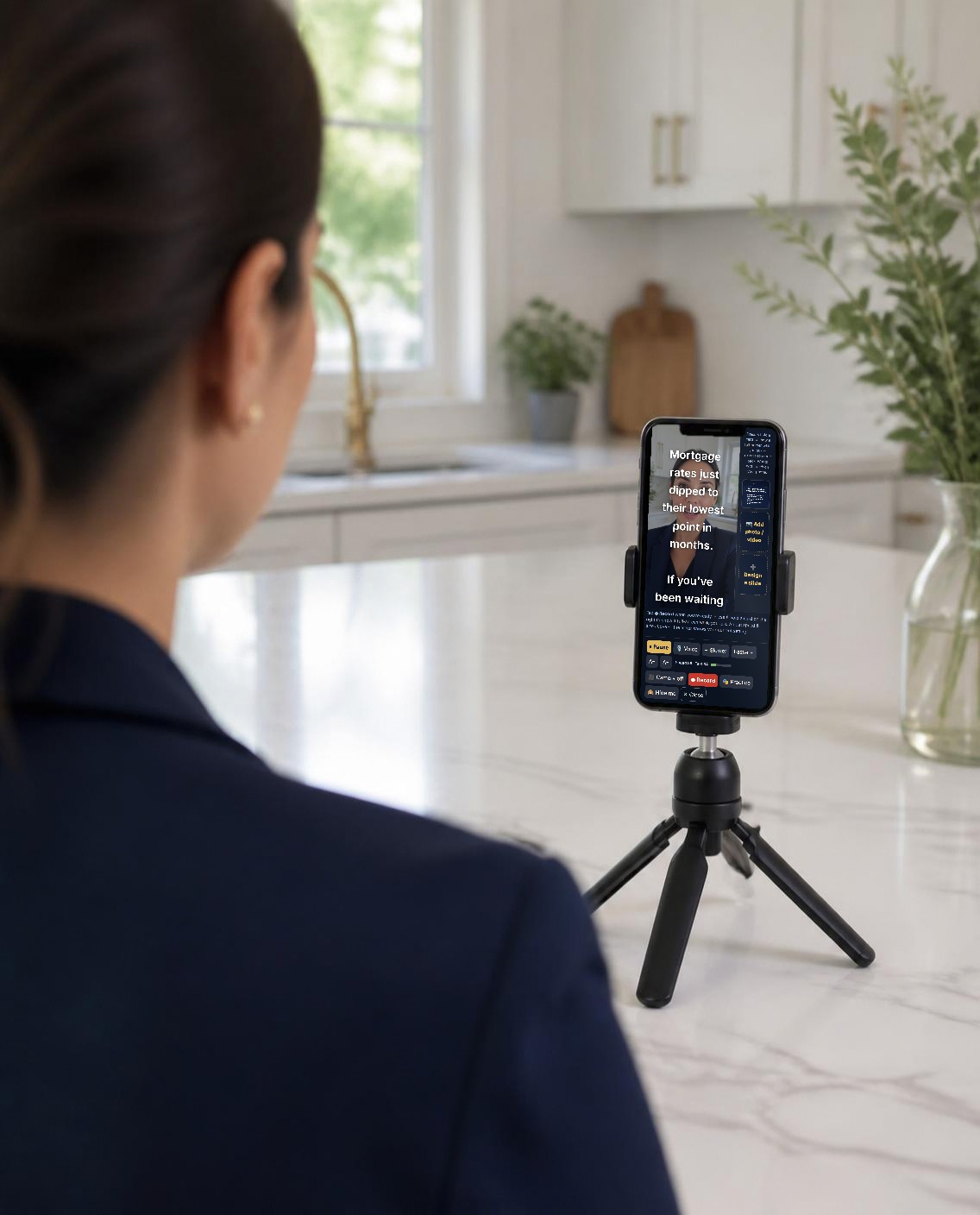
A teleprompter that makes one take look edited.
- One Take. Press and hold a chart, a slide or one of your photos and it fills the screen while you keep talking. Let go and you’re back. Flub a line? Hold a photo, restart the sentence, and nobody sees the cut.
- Voice Scroll. Tap 🎙️ Voice and the script follows along as you talk. No speed to set, nobody to scroll it for you.
- No script? Describe it. Type what you want to say and it’s drafted for you, or start from this morning’s local story.
- Camera-shy settings. A practice take that can’t be posted, a hide-me switch, and a camera bubble you can shrink or turn off.
Posts everywhere you already are.
Connect your accounts once. Each post goes to every one you’ve connected.
- InstagramFeed, Story, or both.
- FacebookFeed, Story, or both.
- TikTokYour daily reel.
- LinkedInReels and carousels.
- PinterestPosted automatically.
- YouTube ShortsAvailable on request.
- Google Business ProfileYour daily listing photo, caption and link as a profile update.
Every post points to a page with your name on it.
A profile page, a listing page for every home we post, an article page for every Market Take you publish, and free courses that turn a curious follower into a name in your CRM. The exact address of a home stays hidden until a buyer asks, and when they do, it lands in your buyer CRM with an alert.
Pick a domain and type your name. Every address follows the same pattern, and on Pro your client app goes at your name in front.
yourname.isell713.comYour client app on Pro: clients install it with your icon and nameisell713.com/yourname/sep26A listing page (the post date)isell713.com/yourname/homesYour Spec Map for clients: available new homes, branded to youisell713.com/yourname/articlesAll your articles, newest firstFirst Home, Five Lessons
A free first-time buyer course on your page. Buyers unlock it with an email they confirm, and the signup lands in your buyer CRM.
yourdomain.com/you/fthbReady to Sell: Five Lessons
A free course for homeowners thinking about selling: timing, prep, pricing and what to expect. Same verified signup, same alert to you.
yourdomain.com/you/sellBuying New Construction: Five Lessons
For buyers looking at new homes: whether new construction fits, bringing an agent to the first visit, price and incentives, the builder’s lender, and inspections through the warranty. Same verified signup, same alert to you.
yourdomain.com/you/new-constructionYour articles page
Every Market Take article you publish, listed newest first on one page. It’s the easy address to put on a post: /articles.
yourdomain.com/you/articlesA buyer inquiry through your pages is an introduction only. It does not create a buyer-representation agreement, doesn’t make the buyer your client, and doesn’t guarantee a commission. You still need a representation agreement that meets national, state and local requirements, and you must register the buyer with the builder per that builder’s registration policy. HOWSR is a marketing and software platform, not a brokerage and not a party to any transaction.
See your app, pages & leads ›Start free. Go Pro for the daily post.
Free gives you Spec Map, your digital business card, and one try of each tool. Pro is $149/month or $1,500/year. It adds a branded reel every day, your own client app, and the Spec Map LD and MT buttons.
A social media manager runs about $800–$3,000 a month. HOWSR is $149, and it already made today’s post.
No card. No clock.
- Spec Map: new homes and floor plans across four Texas metros, with addresses, reps and client maps
- Digital business card, free forever: Save contact (with your photo on iPhone), call, text, email, QR code and NFC tap
- Link-in-bio buttons, 3 available homes, a contact form and 30-day counts on your card
- Your own webpage at howsr.com/yourname: buyers search available new homes and send you their info, plus three free courses for buyers and sellers. Your brokerage name and the Texas IABS and Consumer Protection Notice are built in
- One free try each: a Listed Daily reel, a Market Take reel, carousel and article, a Swipe Deck carousel, and the teleprompter
No card required. The LD and MT buttons on Spec Map are Pro features. Upgrade to $149/month anytime.
Start free. Subscribe whenever you’re ready.
Works out to $125 a month, billed once a year.
- Everything in Free, plus:
- Your own client app: clients install it from your own address, with your logo or headshot as the icon and new-home alerts from you
- Listed Daily: a branded reel or carousel of a real new-construction home, every day
- Market Take: local stories each morning, made into scripts, carousels and articles
- Teleprompter + One Take for the days you want to say it yourself
- Swipe Deck: designed carousels, branded to you, plus games
- Planner: 30 days at a glance, with weekly repeats
- Auto-post, hold for your approval, or download: your call, every day
- Instagram, Facebook, TikTok, LinkedIn and Pinterest
- Upload and schedule your own photos and videos
- Your brand kit (logo, colors, headshot, fonts) on every post and page
- Your logo in the middle of your card’s QR code
- Profile page + a listing page for every post, with lead capture
- Three free courses on your profile page: First Home, Ready to Sell and Buying New Construction
- Buyer CRM with stages, notes, follow-ups and alerts
- Analytics across your accounts + one inbox for comments
- Spec Map LD and MT buttons: put a ready reel or a Market Take story on your planner, right from the map
Pro is $149/mo · Cancel anytime · No contract
Questions agents ask.
Do I have to be on camera?
Never. Listed Daily and Swipe Deck don’t need you on camera at all. Market Take’s teleprompter is there for the days you want it, and even then you can shrink yourself to a bubble or turn the camera off and just talk over the charts.
Which platforms does it post to?
Instagram, Facebook, TikTok, LinkedIn and Pinterest. On Instagram and Facebook you choose Feed, Story, or both. YouTube Shorts is available on request. Google Business Profile gets your daily listing photo and link. We don’t post to X or Threads.
Can I use trending TikTok sounds?
On TikTok, yes. Choose “A trending song” in your auto-posting settings and your daily listing reel goes to TikTok with a trending song from TikTok’s business music library, a different one most days. Your TikTok needs to be connected through TikTok for Business. Instagram doesn’t let any posting tool add its music, so there your reel keeps its royalty-free music bed in the style you pick. For a specific Instagram sound, add it by hand in the app.
I already post a lot. Why would I need this?
To fill the days you don’t get to. Your posts and ours sit on one 30-day Planner; leave the open days on Auto. Upload your own photos and videos and schedule them to every account at once.
I’ve never posted. Is this too much?
It’s built for exactly that. Turn on Auto-post and a finished post goes out every day at your time. Nothing to film, nothing to design, no caption to write.
I don’t have listings. Can I still use it?
Yes. Listed Daily posts real new-construction homes from builder inventory, checked daily, and Spec Map gives you available new homes to show. You don’t need listings of your own.
What is Spec Map?
A map of available new-construction homes and to-be-built floor plans from more than 45 builders across Houston, San Antonio, Austin and Dallas–Fort Worth, updated every day. It searches like the MLS, but it’s built from builder websites, not an MLS. Every home shows its street address and when the builder last confirmed it. It’s free, and you can send clients your own branded version.
Do my clients see builder reps or bonuses?
No. On the map you send clients, you’re the only agent and the only contact: your photo, name, brokerage and license. Builder reps, builder sales contacts, commission, registration procedures and bonuses are for agents only.
What’s the client app?
On Pro, your clients get your own new-home app. They open your app address on their phone, add it to the home screen in a few taps, and create their account inside it. The icon is your logo or your headshot, and the name is whatever you choose. They save homes, draw the areas they want, and get new homes and price drops there every morning. You’re the only agent on it. There’s no app store and nothing for you to set up beyond picking the icon and the name.
What’s on the free digital business card?
Save contact (with your photo on iPhone), call, text, email and share, your own link buttons, three available homes, a contact form, a QR code and an NFC link, plus 30-day counts of scans, taps and saves. Free forever. On Pro, your logo sits in the middle of the QR code.
Is it really my brand?
Your logo, colors, headshot and fonts go on every reel, carousel and page, and every post links to a page with your name on it.
Does anyone check a post before it goes out?
Yes, three times. A vision model screens every listing photo and drops floor plans, renderings and junk shots; the caption is checked against the home. A person on our team reviews every reel before it’s released. Then it’s your call: hold it for your approval or let it auto-post.
Do I have to approve every post?
Your choice. Auto-post runs on its own. Hold for my approval waits for your tap. Off means you download and post it yourself. Switch anytime.
If a buyer reaches out through my page, are they my client?
Not automatically. A buyer inquiry through your pages is an introduction only. It does not create a buyer-representation agreement, doesn’t make the buyer your client, and doesn’t guarantee a commission. You still need a representation agreement that meets national, state and local requirements, and you must register the buyer with the builder per that builder’s registration policy. HOWSR is a marketing and software platform, not a brokerage and not a party to any transaction.
What’s free?
Start free and you get Spec Map, your digital business card, your own webpage with three free courses, and one free try of each tool. No card, no clock. Your free Listed Daily try makes your first listing reel, branded to you, with nothing to film.
Is there an annual plan?
Yes. Pro is $1,500 a year, which works out to $125 a month.
Can I cancel?
Anytime, from Settings in the app. No contract.
Never go dark again.
Something real to post, every day, and you decide how much of it you make.
Free account · Pro is $149/mo · Cancel anytime