


 Listed Daily
 Market Take
 Swipe Deck
 Spec Map
Every post points somewhere with your name on it.
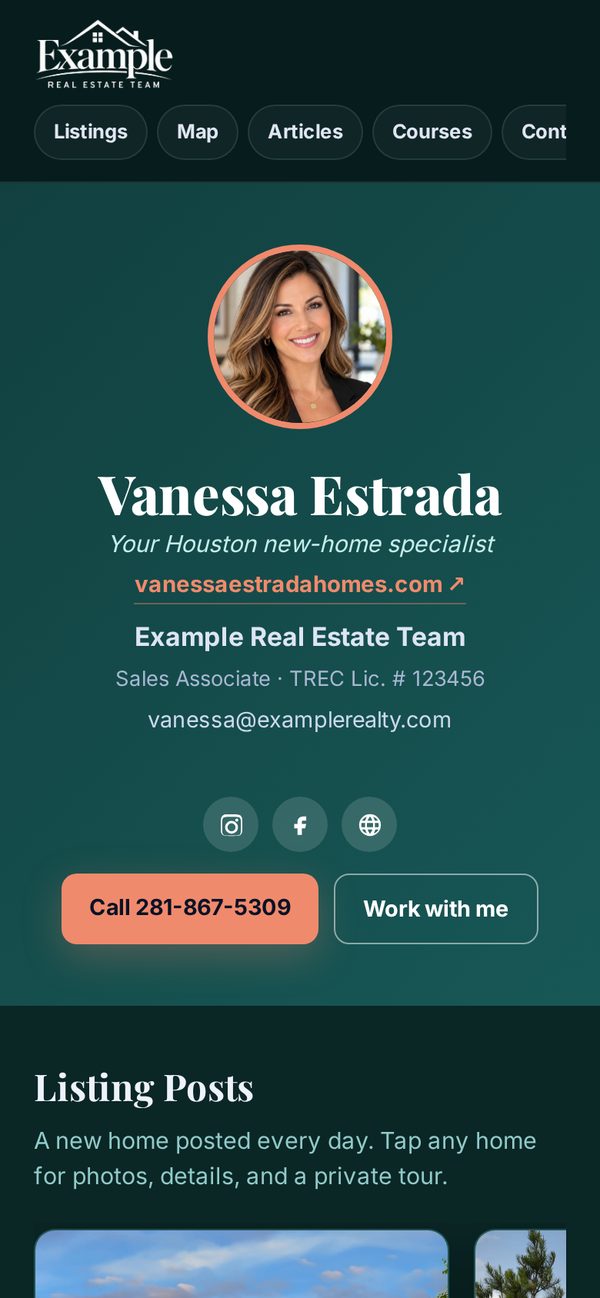
On Pro, your clients get your own app, with your icon on their home screen. Every agent gets a profile page that’s yours, a listing page for every home we post, a page for every article you publish, and free courses. When a buyer raises a hand, it goes straight to you.
Pick your domain. Every link carries your name.
Choose from our domains and your name. Every post links to the right page: the listing, the article, or the course. On Pro, your client app goes on the same domain with your name in front, like yourname.isell713.com. Links are clickable wherever the platform allows, like Facebook and LinkedIn; on Instagram and TikTok the address is printed on the post.
These are our domains, shared with other agents under your own name. Using a domain you own isn’t available yet.
yourname.isell713.comYour client app on Pro: clients install it with your icon and nameisell713.com/yournameYour profile pageisell713.com/yourname/homesYour Spec Map for clients: available new homes, branded to youisell713.com/yourname/sep26A listing page (the post date)isell713.com/yourname/articlesAll your articles, newest firstYour clients get an app. Every alert has your name on it.
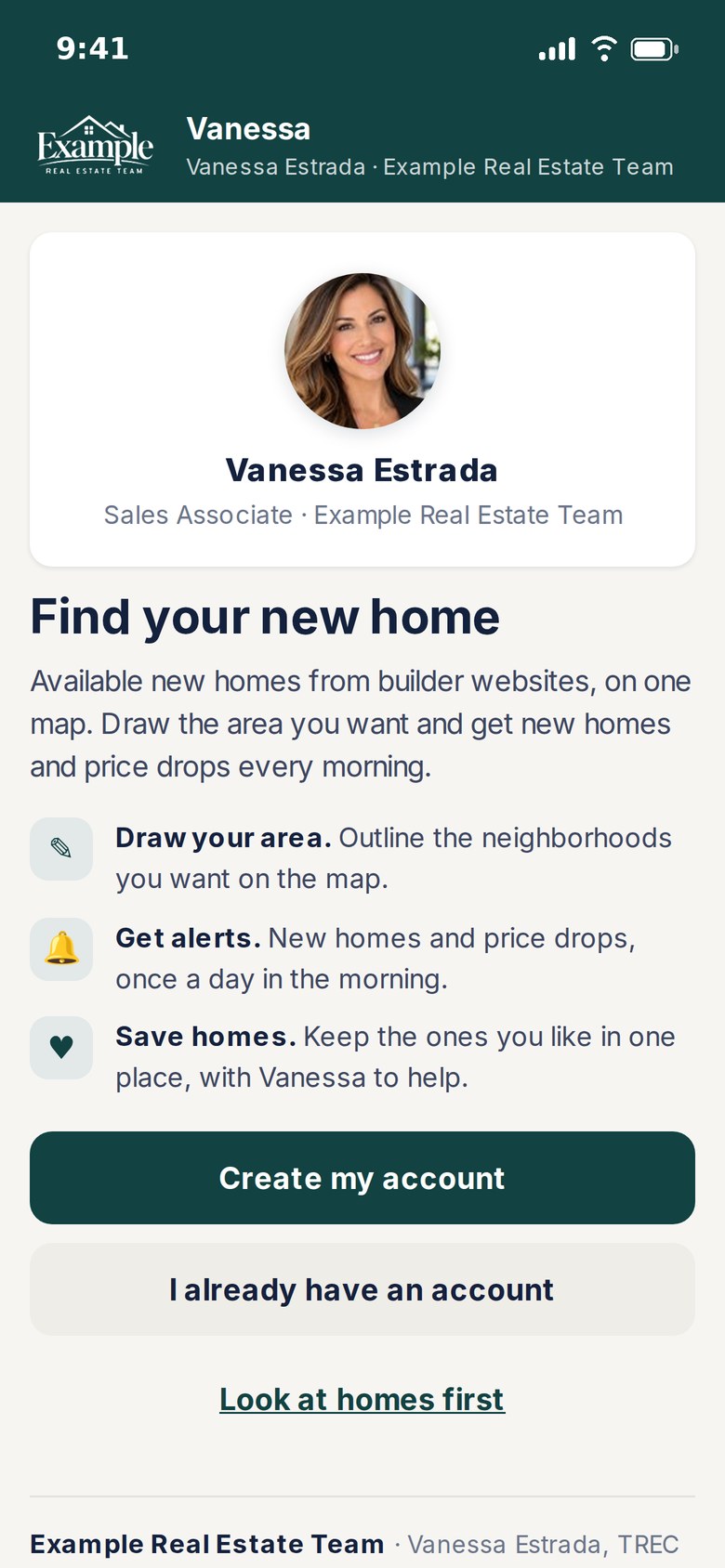
On Pro, your client map becomes an app your clients install on their phone. It opens at your own address, like yourname.isell713.com. Your logo or your headshot is the icon, and you pick the name under it.
- Make it yours. Pick your logo or your headshot for the icon, crop your photo to fit, and name the app. It’s all in the app’s settings.
- Share one link. Send your app address, put the QR code on a sign or flyer, or post the ready-made how-to carousel.
- Clients install it in seconds. The page shows the exact taps for their iPhone, iPad or Android. No app store.
- They sign up inside the app. An email code, then Face ID. They stay signed in, and the alerts reach them.
- Alerts come from you. They draw the areas they want. New homes and price drops there arrive every morning as a notification from your app.
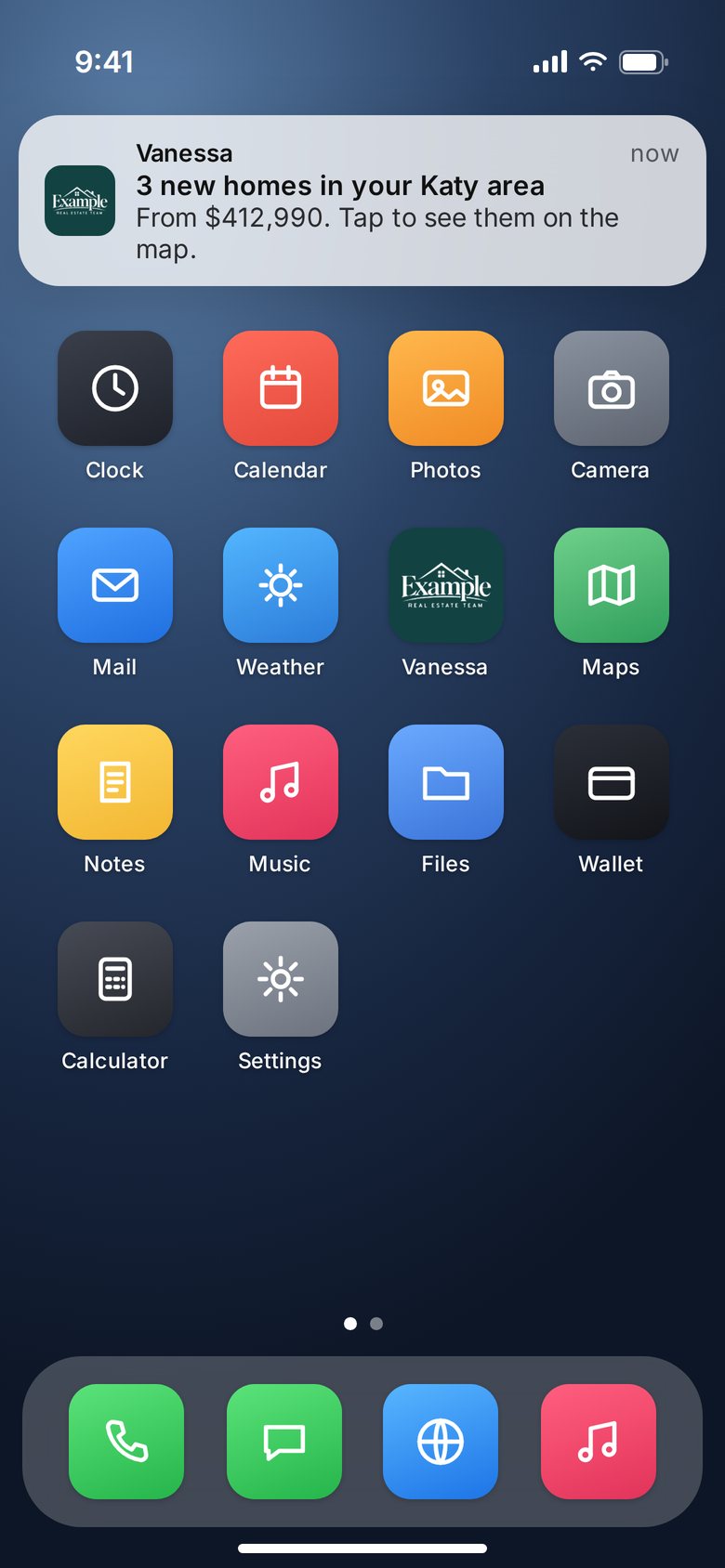
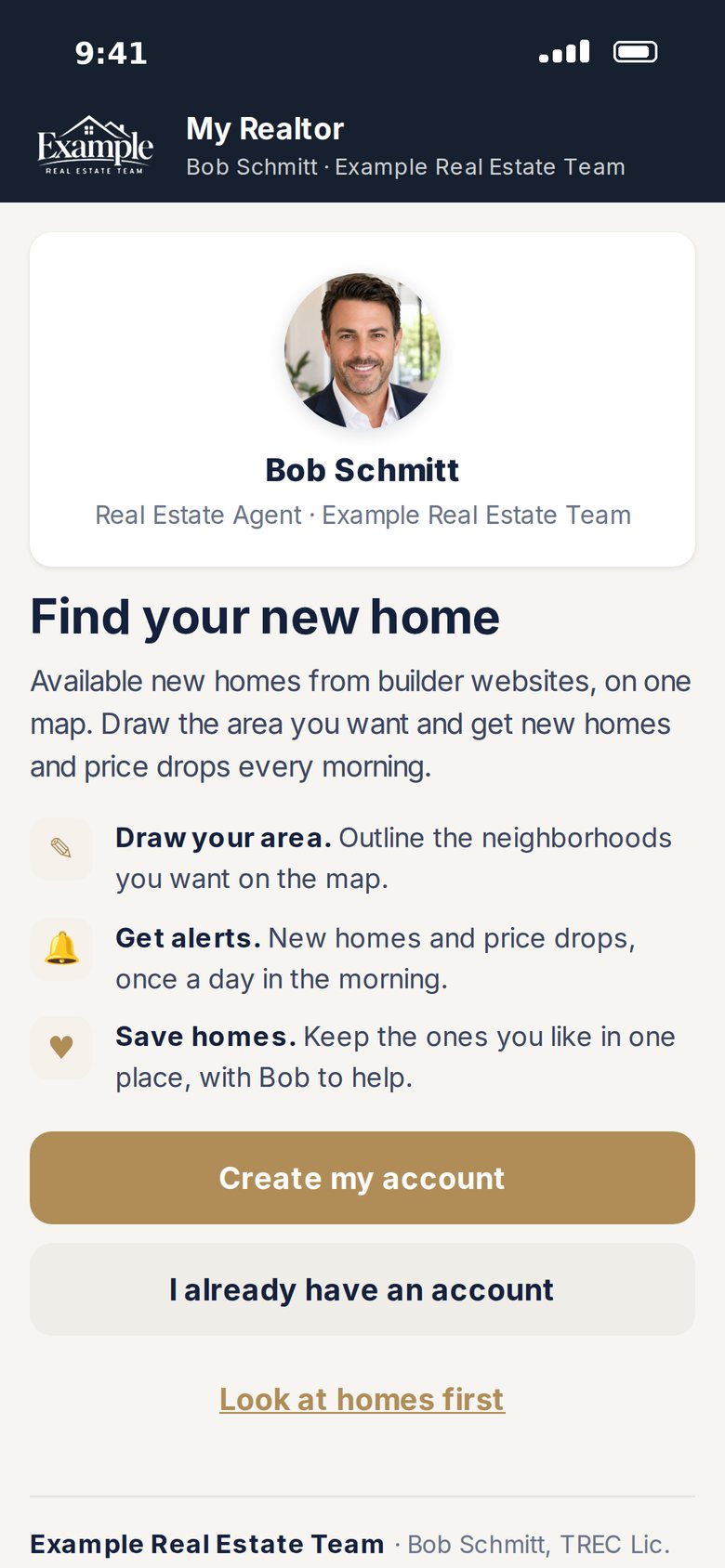
Every client, in your Clients list
Each account shows the homes they saved, the areas they drew, whether alerts and Face ID are on, and what they’ve looked at. Open any of them in your buyer CRM.
Teach them with one post
A ready-made “How to get my app” carousel, in English and Spanish, and a teleprompter script with cards to hold up. Your app’s name and address are already in both.
You’re the only agent
Your photo, your brand, your contact info. Builder reps, other agents, commission and bonuses never appear in your clients’ app.
Your address, your domain
Your app lives at your name on the domain you picked for your pages, like yourname.isell713.com or yourname.howsr.com.
Saved searches, live
Send a client a search link and they can save it in the app. You see their favorites and filter changes as they happen.
Free plan: your client map
Every agent can share Spec Map with clients at yourname/homes, in their browser. The installable app with your icon and name comes with Pro.
One page that’s always current.
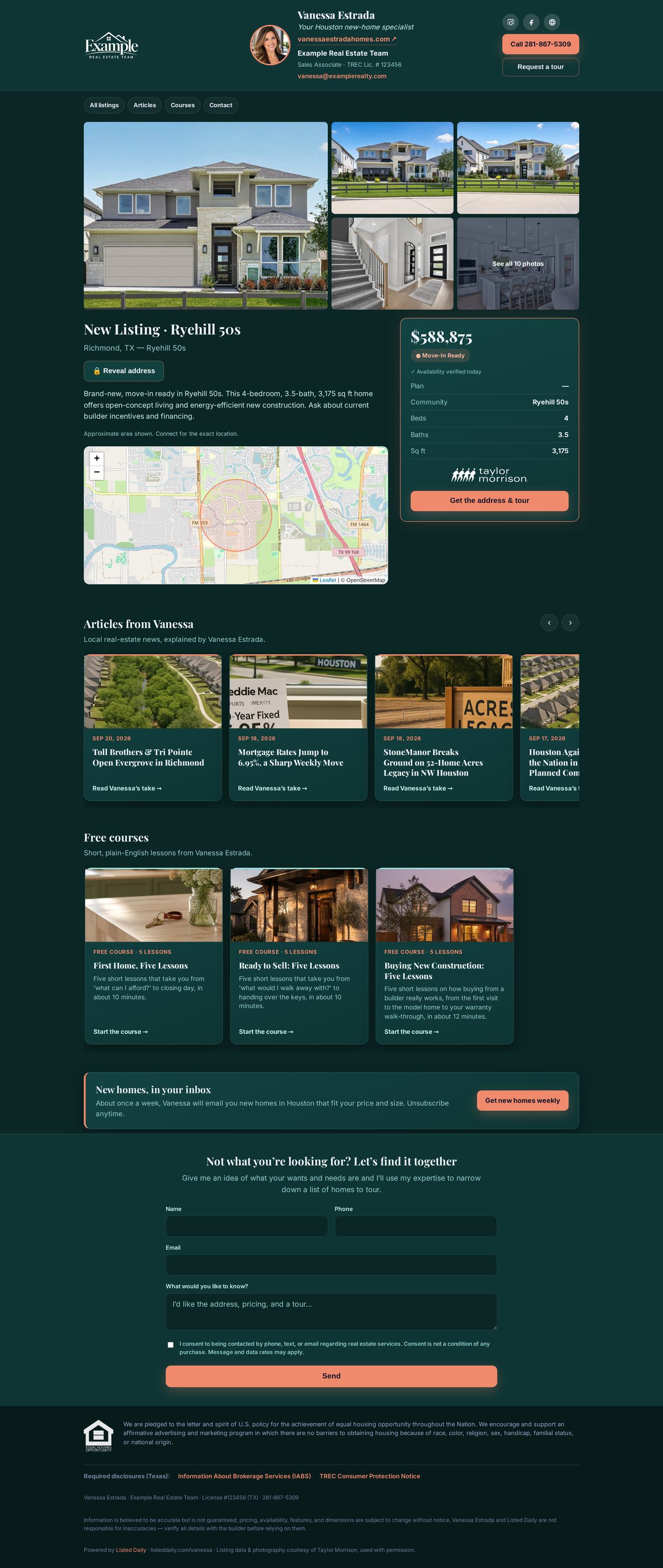
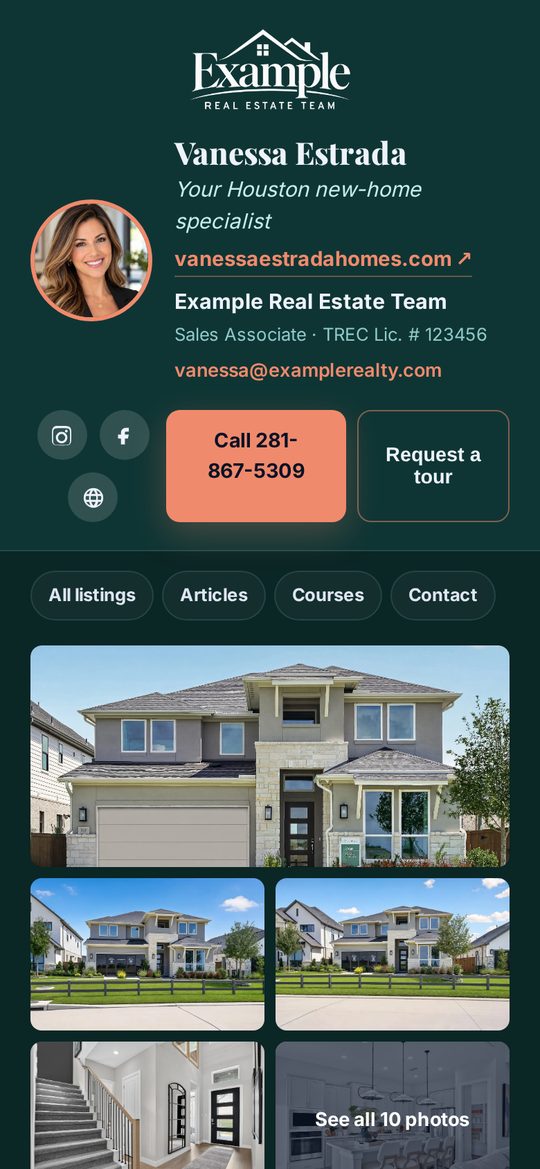
Your listings, a map of every home you’ve featured, your articles and your free courses, with links along the top so a visitor can jump straight to any of them. It wears your Brand Kit: your logo, colors and font (or our standard navy and gold, if you’d rather). Here’s one on a computer.
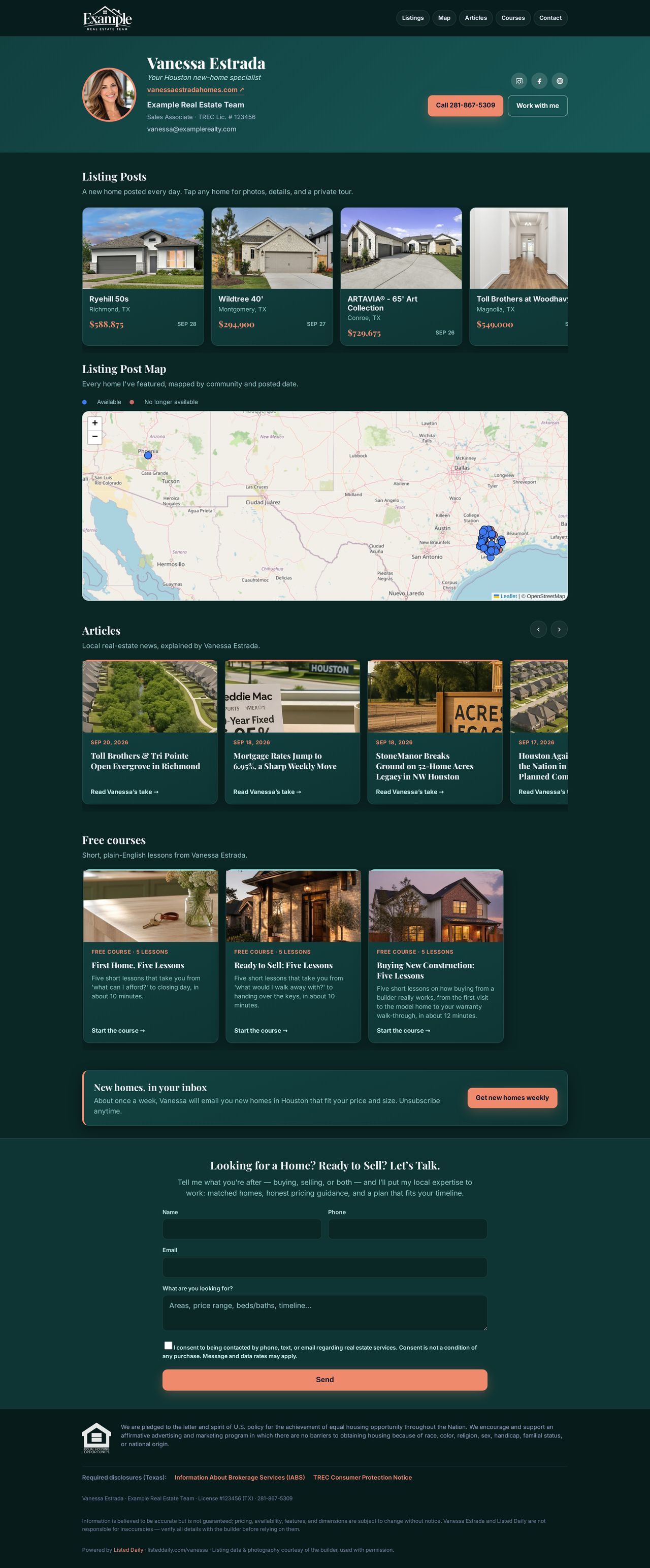
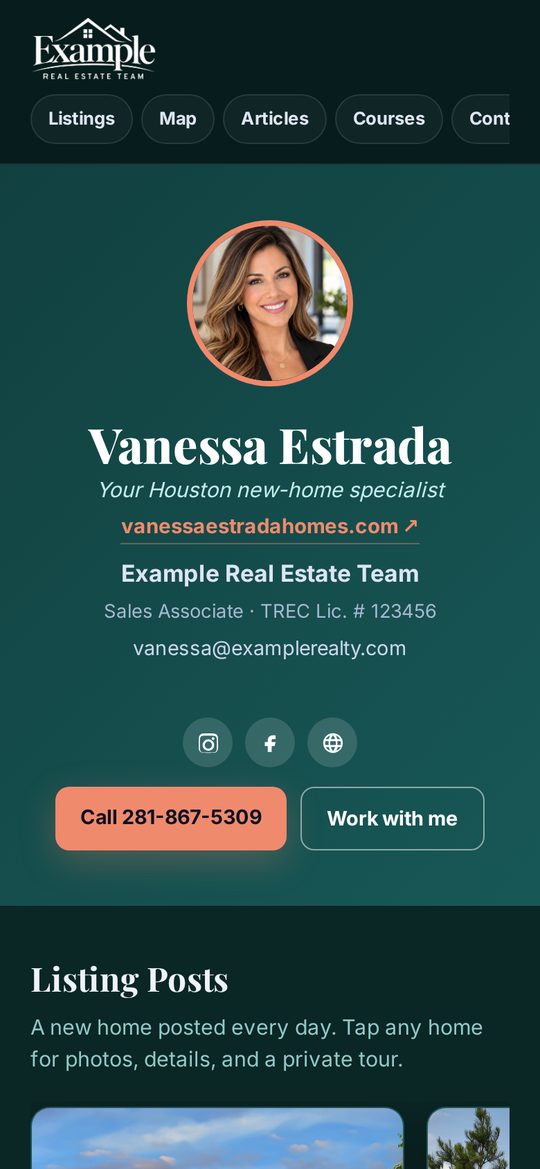
The page scrolls on its own.
Headshot & contact
Your photo, tagline, website, phone and email up top.
Listings rail
Every home you’ve featured, in one scroll.
Listings map
Your featured homes, on a map.
Your articles
Every Market Take article you’ve published, each on its own page, all listed newest first at /articles.
Homebuyer course
A free course, unlocked with a verified email.
Buyer inquiry form
One form, straight to your CRM.
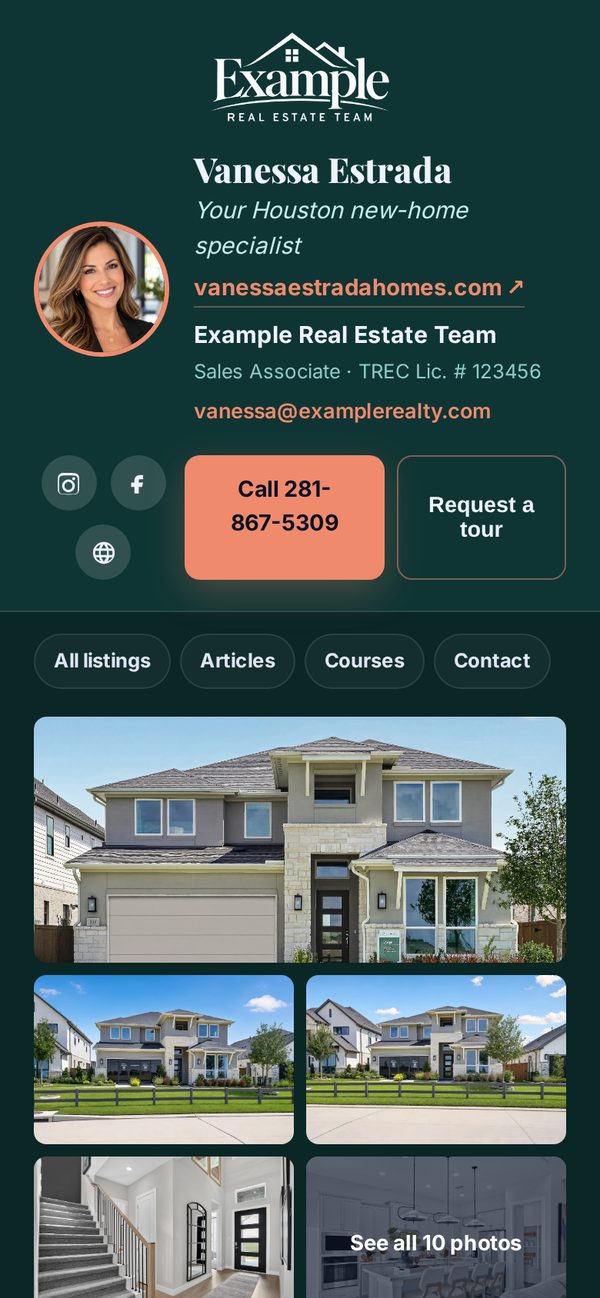
A listing page for every post.
Photos, price, beds, baths, square footage, the builder’s logo and an area map. The exact address stays hidden. Below the home, your articles and free courses keep a visitor with you.
- They want the address.
- They leave their contact infoand confirm with an email code on desktop or a tap link on mobile.
- They see it. You get them.
A free homebuyer course, on your page, under your name.
First-time buyers can take a short free course right on your profile page. They unlock it with an email address we verify, and that signup lands in your buyer CRM. You get an email and a push alert.
- Verified signups. The buyer confirms their email before the course opens, so what reaches you is real.
- Your address for it:
yourdomain.com/you/fthb. The Ready to Sell course (/sell) and the Buying New Construction course (/new-construction) work the same way. - Ready-made promotion. A Swipe Deck carousel that links straight to your course.
First Home, Five Lessons
Short lessons on how buying a home works, from budget to closing.
- Budget & credit
- Pre-approval
- New construction vs. resale
- Working with a builder, and why you bring your own agent
- Closing
General education, not financial, legal or lending advice.
Free things to offer, with your name on them.
Courses and articles give a follower a reason to leave an email. Every signup is confirmed by the buyer and lands in your buyer CRM with an alert.
First Home, Five Lessons
A free first-time buyer course on your page. Buyers unlock it with an email they confirm, and the signup lands in your buyer CRM.
yourdomain.com/you/fthbReady to Sell: Five Lessons
A free course for homeowners thinking about selling: timing, prep, pricing and what to expect. Same verified signup, same alert to you.
yourdomain.com/you/sellBuying New Construction: Five Lessons
For buyers looking at new homes: whether new construction fits, bringing an agent to the first visit, price and incentives, the builder’s lender, and inspections through the warranty. Same verified signup, same alert to you.
yourdomain.com/you/new-constructionYour articles page
Every Market Take article you publish, listed newest first on one page. It’s the easy address to put on a post: /articles.
yourdomain.com/you/articlesEvery buyer, in one place.
Address requests, inquiry forms and course signups all land in your buyer CRM. Move them through stages, add notes, set follow-ups. An alert tells you the moment one comes in.
Instant alerts
A push notification and an email the moment a new buyer arrives.
Stages & follow-ups
New, contacted, touring and more, with notes and reminders.
Page visits
See how often your profile and listing pages are opened.
Your page is ready before your first post.
Start free. Your profile page and your first listing page are built for you.
Free account · Pro is $149/mo · Cancel anytime